

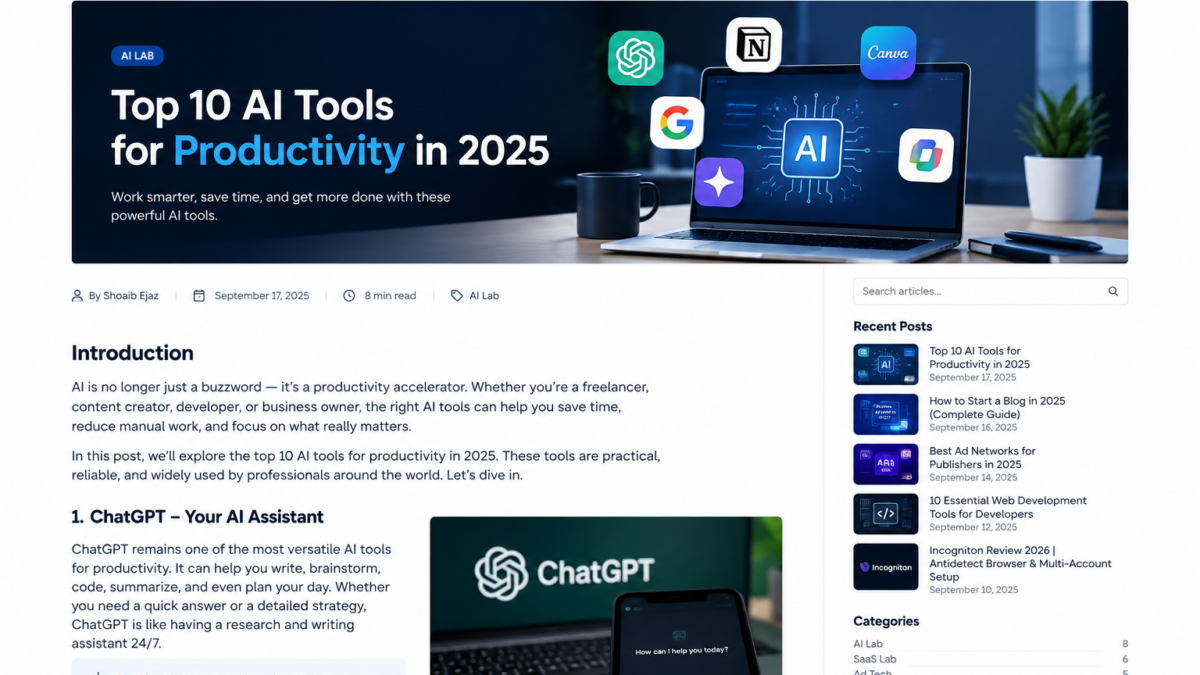
Top AI Tools for Work, Content & Productivity in 2026
Artificial intelligence has moved far beyond simple chatbots. In 2026, AI tools can help with research, writing, coding, design, content creation, data analysis, and many of the repetitive tasks that take up time every day.
The challenge is no longer finding an AI tool. There are thousands of them.
The real challenge is finding tools that actually fit your workflow.
At FortiLabs Blogs, we’re going to test, research, compare, and explain technology from a practical perspective. In this guide, we’re looking at several widely used AI platforms and what they are particularly useful for.
What Makes an AI Tool Useful?
Popularity alone doesn’t make an AI tool useful.
When evaluating an AI product, we look at a few practical factors:
- Does it solve a real problem?
- Is it easy to use?
- Can it save meaningful time?
- Does it fit into an existing workflow?
- Does it provide useful output without excessive manual work?
- Does it offer features that justify its price?
Different tools are built for different jobs, so there isn’t necessarily one AI platform that is right for everyone.

1. ChatGPT — General-Purpose AI Assistant
ChatGPT is one of the most flexible AI assistants available today.
It can be used for writing, brainstorming, research, coding, summarization, planning, data-related work, and many other tasks.
OpenAI has also expanded ChatGPT beyond basic conversation. Its current Work experience is designed to help users work across apps and files and complete longer, multi-step tasks.
Useful for
- Writing and editing
- Brainstorming
- Coding and debugging
- Research
- Summarizing information
- Planning projects
- Working with files and data
For developers, marketers, creators, and business owners who regularly switch between different types of work, a general-purpose assistant can become part of the daily workflow rather than being used for only one task.
2. Google Gemini — AI Inside the Google Ecosystem
Gemini is Google’s AI assistant and is particularly relevant for people who already use Google’s ecosystem.
Google’s documentation describes Gemini as capable of helping users brainstorm ideas, create plans, summarize complicated topics, and create first drafts of content such as emails and blog posts.
Useful for
- Brainstorming
- Drafting content
- Summarizing information
- Planning
- General AI assistance
- Google-oriented workflows
Its usefulness can be especially noticeable for users who already spend much of their time working with Google products.
3. Claude — Writing, Analysis & Coding
Claude is developed by Anthropic and is designed as a general-purpose AI assistant.
Anthropic describes Claude as useful for tasks including summarization, search, creative and collaborative writing, question answering, and coding.
Useful for
- Long-form writing
- Editing
- Summarization
- Coding
- Analysis
- Brainstorming
- Working with complex text
For people who spend a lot of time reading or producing written material, Claude is one of the platforms worth testing alongside other major AI assistants.
4. Perplexity — AI-Powered Research
Perplexity takes a different approach from a traditional conversational assistant.
Its Pro Search feature performs multiple web searches, synthesizes information from different sources, and provides citations so users can investigate the original material.
Perplexity describes itself as an AI answer engine that researches the open web and returns cited answers.
Useful for
- Web research
- Comparing information
- Finding sources
- Researching companies and markets
- Technical research
- Exploring unfamiliar topics
This makes source verification an important part of the workflow. AI-generated answers should still be checked against the underlying sources, especially when the information is important or time-sensitive.
5. Canva AI — Design & Content Creation
Canva has incorporated AI throughout its visual design platform.
Its current Canva AI experience can help users move from an idea to editable designs and supports workflows involving design, writing, branding, and code.
Canva’s AI tools have also included features for generating and editing visual content, writing, presentations, and other creative workflows.
Useful for
- Social media graphics
- Blog images
- Presentations
- Marketing materials
- Visual content
- Basic design work
- Content repurposing
For creators who don’t want to learn complex professional design software, an AI-assisted visual workflow can significantly reduce the time required to produce usable graphics.
6. AI Coding Assistants
AI is also changing how developers approach software development.
Modern AI assistants can help developers understand unfamiliar code, generate boilerplate, troubleshoot errors, explain APIs, and explore possible implementations.
The important point is that AI should be treated as a development assistant rather than an automatic replacement for testing and engineering judgment.
Useful for
- Debugging
- Code explanations
- Boilerplate generation
- Refactoring ideas
- Documentation
- Learning unfamiliar technologies
- Exploring implementation approaches
For production applications, generated code should still be reviewed, tested, and secured before deployment.
7. AI Tools for Content Creation
Content creators now have access to AI tools covering almost every stage of production.
A typical workflow might involve:
Research → outline → writing → images → video → editing → publishing → promotion
Instead of looking for one tool that does everything, creators can build a workflow around several specialized tools.
This approach can be particularly useful for bloggers, YouTubers, marketers, and small teams that need to publish consistently.
8. AI for Research & Productivity
Another major use case is reducing repetitive work.
For example, AI can help turn a large amount of information into:
- Summaries
- Action items
- Content briefs
- Research notes
- Project plans
- Draft emails
- Documentation
- Meeting notes
The biggest productivity gains often don’t come from asking AI to do an entire project. They come from removing small repetitive tasks from the workflow.
9. AI for Developers & Technical Teams
Developers can use AI throughout the software development lifecycle.
For example:
- Explain an existing codebase.
- Generate an initial implementation.
- Identify potential bugs.
- Create test cases.
- Improve documentation.
- Review alternative approaches.
- Help investigate errors.
The developer remains responsible for the final implementation.
This is particularly important when working with authentication, payments, databases, security-sensitive code, or production infrastructure.
10. Build an AI Workflow Instead of Collecting AI Tools
One of the biggest mistakes people make is subscribing to dozens of AI products without establishing a workflow.
You probably don’t need 20 different AI subscriptions.
A better approach is to start with a few tools that cover your main needs.
For example:
Research: Perplexity
General AI work: ChatGPT or Gemini
Long-form writing and analysis: Claude
Design: Canva
Development: An AI coding assistant
The exact combination depends on your work.
The goal is not to use the most AI tools.
The goal is to use the right tools consistently.
How to Choose the Right AI Tools
Before paying for another AI subscription, ask yourself:
1. What problem am I solving?
Don’t start with the tool.
Start with the problem.
2. How often will I use it?
A tool that saves 30 minutes every day can be much more valuable than a tool that performs an impressive task once a month.
3. Can another tool already do this?
Many AI platforms now overlap significantly.
Before adding another subscription, check whether a tool you already use can handle the same workflow.
4. Can I verify the output?
For research, technical information, financial information, or anything important, source checking remains essential.
5. Does it fit my existing workflow?
The best tool is often the one that fits naturally into the way you already work.
Final Thoughts
AI is becoming less about individual chatbots and more about complete workflows.
The most useful setup for one person may look completely different from another person’s setup. A developer might prioritize coding and research, while a content creator may care more about writing, images, video, and publishing.
That’s why we don’t recommend blindly collecting AI tools.
Instead, identify the work you want to improve, test a few platforms, measure how much time they actually save, and keep the tools that genuinely improve your workflow.
At FortiLabs Blogs, we’ll continue exploring AI, SaaS, Ad Tech, web development, blogging, and developer technology with a practical focus — including tutorials, reviews, comparisons, and real-world experiments.
More practical technology guides are coming to FortiLabs Blogs.