Disclosure: Some links in this article are affiliate links. If you buy through them, FortiLabs may earn a commission at no extra cost to you.
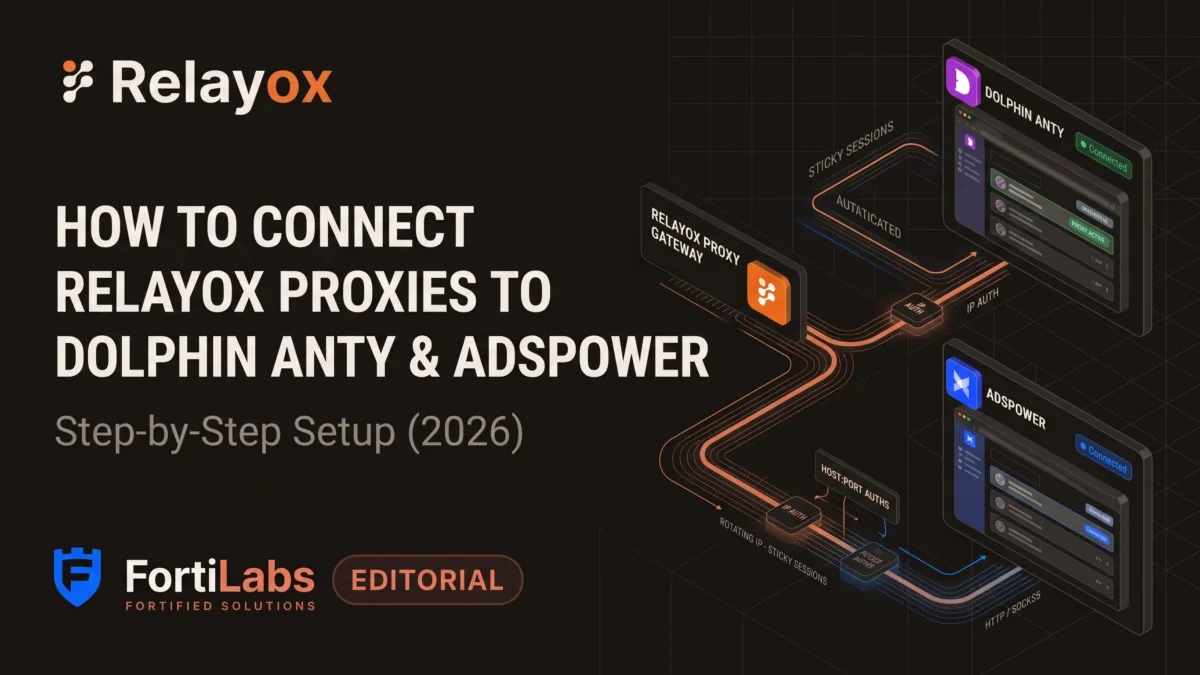
Short answer: generate a proxy in the RelayOx dashboard (location, session type, Quality Filter, protocol), copy its host, port, username and password, paste them into the proxy fields of a Dolphin Anty or AdsPower profile, and run the built-in proxy check. Then confirm the exit IP, location, time zone and WebRTC with independent tools before the profile does any real work.
- RelayOx protocols
- HTTP, HTTPS, SOCKS5
- RelayOx sticky session
- Up to 48 hours, subject to IP availability
- Dolphin Anty proxy types
- HTTP, SOCKS4, SOCKS5, SSH
- Dolphin Anty free plan
- Up to 3 profiles
- Checked
- November 2026
Before You Start
An anti-detect browser keeps profiles separate: each one gets its own cookies, storage and browser fingerprint. It does not hide your network address. That job belongs to a proxy, and each profile needs its own proxy settings. RelayOx supplies the proxy, and Dolphin Anty or AdsPower supplies the profile. You are connecting two separate products with four values: host, port, username and password.
You need three things:
- A RelayOx account with traffic. RelayOx bills by the gigabyte, and its site lists a one-time $1 trial of 200 MB per account (crypto only, per the site). A trial is plenty for everything in this guide.
- A browser profile tool. Dolphin Anty has a free plan with up to 3 profiles, which is enough to follow along. AdsPower is the alternative covered here.
- An authorized purpose. Use these tools for work you are allowed to do, such as QA across regions, ad and landing-page verification, managing client accounts with permission, or collecting public data within a site’s terms.
Warning: a proxy and a browser profile do not give you permission to do anything a service forbids. Read each platform’s terms and RelayOx’s acceptable use policy first. This guide covers configuration and verification only.
Step 1: Generate a Proxy in the RelayOx Dashboard
Log in to the RelayOx dashboard and open the proxy generator. The exact labels and layout change as the product evolves, so match the options below by meaning. These are the choices RelayOx publicly documents, and each one affects how your profile behaves:
| Setting | What to pick | Why |
|---|---|---|
| Location | The country, and city or ISP where offered, that the profile should represent | The exit location should match the profile’s language, time zone and purpose. City and ISP options depend on pool availability. |
| Session type | Sticky for logged-in or multi-step work; rotating for per-request variety | A profile that changes IP in the middle of a session looks inconsistent. RelayOx sticky sessions last up to 48 hours, subject to IP availability. |
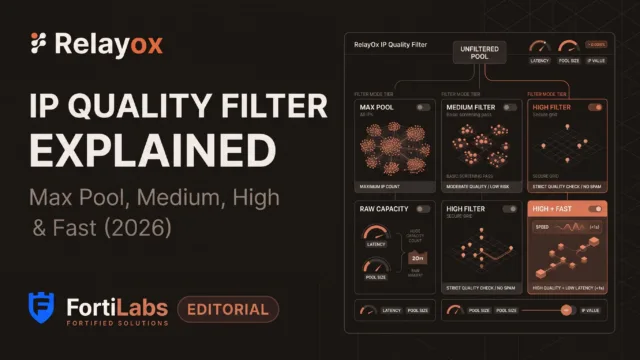
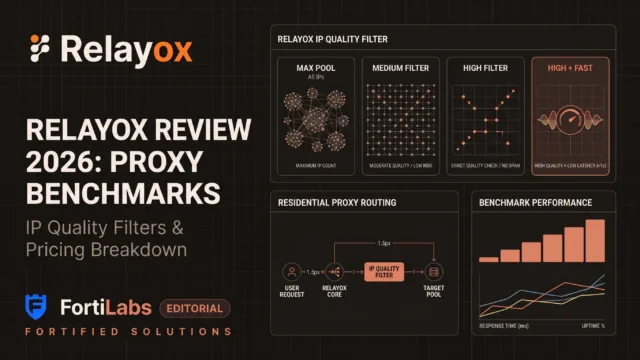
| Quality Filter | Medium to start; High for strict targets; Max Pool for tolerant, high-volume work | Stricter filters narrow the pool. Medium is the provider’s recommended starting point. |
| Protocol | HTTP or SOCKS5 | See the next section. RelayOx supports HTTP, HTTPS and SOCKS5. |
The generator then shows the connection details. Copy exactly four values: host, port, username and password. Three rules prevent most setup failures:
- Copy the username as the dashboard shows it. Many providers encode country, city and session settings inside the username. The syntax is specific to each provider, so never rebuild a username by hand from another provider’s examples.
- Use the proxy credentials, not your account login. The email and password you sign in with are not proxy credentials.
- Treat the values as secrets. Do not paste a full proxy line into screenshots, tickets or chat. If you must share a screenshot, blur the username and password.
Tip: generate one proxy per profile and keep a plain note of which proxy belongs to which profile. Sharing one sticky proxy across unrelated profiles links them at the network level.
HTTP or SOCKS5: Which to Choose
Both work with Dolphin Anty and AdsPower. They differ in what traffic they can carry:
| Aspect | HTTP / HTTPS | SOCKS5 |
|---|---|---|
| How it works | Handles web traffic; encrypted sites go through the HTTP CONNECT method (RFC 9110) | Relays general TCP and UDP traffic at the socket level (RFC 1928) |
| UDP traffic | Not carried | Can be carried if the provider supports it, so test it |
| Compatibility | Works almost everywhere | Supported by both browsers in this guide |
| Good default | Simple, reliable setup | When a tool needs non-HTTP traffic |
Which one is better for you depends on the provider’s implementation and your tool, so test both: generate the same proxy as HTTP and as SOCKS5, run the checks in Step 4 on each, and keep whichever passes cleanly. One Dolphin Anty detail matters here: if you enter a proxy without a type prefix, Dolphin treats it as HTTP.
Step 2: Connect It to Dolphin Anty
Dolphin Anty supports HTTP, SOCKS4, SOCKS5 and SSH proxies. Its official guide describes several places to add one: while creating a profile, while editing a profile, on the Proxy screen, and in bulk through the Bulk Profile Control Panel on paid plans.
- Open Dolphin Anty and click Create Profile. Give the profile a clear name that describes its purpose.
- In the proxy section, choose New Proxy.
- Paste the proxy using one of the supported formats, with the type in front when it is not HTTP:
host:port host:port:login:password login:password@host:port http://host:port:login:password socks5://login:password@host:port - Use the same format for every entry. Mixing formats in one paste can make the parser fail, and a wrong format can produce an invalid port length error.
- Run the proxy connection check (on the Proxy screen, or the check offered while you add the proxy). A working proxy passes the check. If it reports an error, re-check the type, the credentials and the format.
- Save the profile and launch it. Then go to Step 4 before using it.
You can also add proxies once on the Proxy screen with the add button, then pick a saved proxy when creating profiles. That keeps credentials in one place and is easier to audit. Dolphin Anty can also hold a rotation link at the end of an entry in square brackets, and an optional name after the credentials. Leave fingerprint settings at their defaults unless you have a specific reason to change them, because random tweaks tend to create inconsistencies. Our Dolphin Anty review video walks through profile creation and proxy setup on screen, and Dolphin’s official proxy guide lists the current formats.
Step 3: Connect It to AdsPower
AdsPower works the same way conceptually, but its proxy form uses separate fields. Labels vary between versions, so match them by meaning and check the AdsPower Help Center if something looks different.
- Click New Profile and scroll to the proxy settings.
- Choose a custom proxy and select the proxy type: HTTP, HTTPS or SOCKS5.
- Enter the host and port in the host and port field, then the username and password in their own fields. Some versions also accept a pasted combined string such as
host:port:username:password. - Click Check Proxy. A successful check shows the detected IP and location. Public setup guides note that proxies set to HTTPS may not be checkable on the setup page, in which case test them by launching the profile.
- Choose the IP checker if the form offers one, save the profile, and launch it.
AdsPower’s separate fields avoid a common problem with combined strings: a password that contains special characters such as : or @ can be split in the wrong place when it is pasted as one line. If your credentials contain such characters, prefer the separate fields.
Step 4: Pre-Flight Checks Before You Launch
The built-in proxy check only proves that the proxy connects. Before a profile does real work, confirm that the whole profile tells one consistent story: IP address, location, time zone, language and WebRTC. Open each tool inside the launched profile, not in your normal browser.
| Check | Tool | Good result | If it fails |
|---|---|---|---|
| Exit IP and location | Whoer | The proxy’s IP and the country or city you chose | Regenerate with the right location, or loosen city or ISP targeting |
| IP reputation | Scamalytics | A low fraud score and a low-risk label | Rotate to a new IP, or try a stricter Quality Filter level |
| WebRTC leak | BrowserLeaks WebRTC | No public IP other than the proxy’s | Review the profile’s WebRTC setting; test SOCKS5 versus HTTP |
| Fingerprint consistency | Pixelscan | IP location, time zone and language agree | Fix the mismatched setting, usually time zone or language |
Keep these points in mind when you read the results:
- Checkers disagree. Each uses its own data and scoring, and none is ground truth. Compare results across two or three tools, and use the same tools every time so numbers are comparable.
- Aim for consistent, not perfect. The goal is a profile whose IP location, time zone, language and WebRTC all agree and that you can explain. A green badge on one site proves little.
- RelayOx publishes a fraud-score target. Its site cites an IP fraud score under 10 for its Quality System. That is a claim about its own criteria. Verify a sample of your own exit IPs with an independent tool, as above.
- If the profile offers automatic modes, use the setting that derives time zone, geolocation and language from the proxy IP, and check the result yourself.
Step 5: Test the Proxy Outside the Browser
When a profile fails, you need to know whether the proxy or the browser is at fault. Test the same proxy with cURL, which removes the browser from the equation. Replace the placeholders with your four values, and percent-encode special characters in the password:
curl -x 'socks5h://USERNAME:PASSWORD@HOST:PORT' https://ipinfo.io/json
curl -x 'http://USERNAME:PASSWORD@HOST:PORT' https://ipinfo.io/json
The first line tests SOCKS5 with remote DNS (socks5h), the second tests HTTP. You should see a JSON response with an IP address, country and network name. A 407 status means the proxy rejected the credentials. To measure many requests at once, the harness in our residential vs. datacenter proxy benchmark reports success rate and latency per pool, more Web Lab guides cover related setups, and the libcurl proxy reference documents every proxy URL form.
Keeping Per-GB Costs Under Control
Residential traffic is billed per gigabyte, and a browser profile loads far more than an API client: images, scripts, fonts, ads and background requests. A page weighing 2 MB costs about 0.002 GB, so 15 GB covers roughly 7,500 such page loads. Three habits keep usage down:
- Use the tool’s traffic-saving options where they exist (Dolphin lists a traffic-saving feature in its plan comparison).
- Close idle profiles and avoid leaving tabs on auto-refreshing pages.
- Check your traffic counter after the first hour of a new workflow, then extrapolate before committing to a larger plan.
RelayOx plans roll over unused traffic, and its pay-as-you-go balance does not expire, per its pricing page. If you want to compare plan sizes, see our residential vs. datacenter proxy cost model. A promo code for RelayOx is available on the FortiLabs coupon page, where you can get the current code. Confirm at checkout that it applies to your plan.
Troubleshooting
| Symptom | Likely cause | Fix |
|---|---|---|
| Proxy check fails or shows an error | Wrong type, wrong format, or wrong credentials | Confirm the type, use one consistent format, and re-copy the credentials from the dashboard |
| Invalid port length error in Dolphin Anty | The pasted line was parsed in the wrong order | Use host:port:login:password or add the type prefix, and avoid mixed formats |
| 407 Proxy Authentication Required | Rejected credentials or exhausted balance | Check the username and password, and the remaining traffic in the dashboard |
| Wrong country or city | Location settings or limited pool for that city | Regenerate the proxy; relax city or ISP targeting; try another Quality Filter level |
| IP changed mid-session | A sticky session is a maximum, not a reserved IP | Record the exit IP at the start; if it changes, treat the session as new |
| WebRTC shows another IP | Profile WebRTC setting or proxy type | Review the WebRTC setting; test the SOCKS5 and HTTP versions separately |
| Time zone or language mismatch | Profile settings do not follow the proxy location | Set them to match the exit country, or use the profile’s automatic mode |
| Slow pages | Distant exit or a congested peer | Choose a closer location, test the High + Fast level, or generate a new IP |
Frequently Asked Questions
How do I add a RelayOx proxy to Dolphin Anty?
Generate a proxy in the RelayOx dashboard, then in Dolphin Anty create a profile, choose New Proxy, and paste it as host:port:login:password or login:password@host:port. Add a type prefix such as socks5:// if it is not HTTP, then run the proxy check.
How do I add a RelayOx proxy to AdsPower?
Create a new profile, choose a custom proxy, select HTTP, HTTPS or SOCKS5, enter the host, port, username and password in their fields, and click Check Proxy. Save the profile and launch it to verify the exit IP.
Should I use HTTP or SOCKS5 with RelayOx?
Both are supported. HTTP is the simple default. Choose SOCKS5 when a tool needs non-HTTP or UDP traffic and the provider supports it. Test both on a profile and keep the one that passes your WebRTC and consistency checks.
Does a proxy stop WebRTC leaks?
Not by itself. WebRTC uses UDP and STUN, which an HTTP proxy does not carry, so the browser’s own WebRTC setting matters. Always run a WebRTC test inside the launched profile.
Which proxy format does Dolphin Anty accept?
Dolphin Anty accepts host:port, host:port:login:password and login:password@host:port. You can put the type in front, for example socks5://login:password@host:port. Without a type, the proxy is treated as HTTP.
Why does my IP fraud score differ between tools?
Each service uses its own data sources and scoring methods, so scores are not comparable across tools. Compare the same IP in the same tool over time, and treat a score as one signal among several.
How long does a RelayOx sticky session last?
Up to 48 hours, according to RelayOx, subject to IP availability. A sticky session does not reserve an IP, so confirm the exit IP at the start and expect that it can change.
Sources
- RelayOx official site, pricing, FAQ and legal pages (relayox.com), checked November 2026.
- Dolphin Anty official site and plan comparison (dolphin-anty.com), and the Dolphin team help center article on adding proxies, checked November 2026.
- AdsPower Help Center and public AdsPower setup documentation, checked November 2026.
- RFC 9110, HTTP Semantics, and RFC 1928, SOCKS Protocol Version 5.
- libcurl documentation for CURLOPT_PROXY.