Short answer: For teams spending $1,000–$1,500 per month on AWS ECS with Fargate, optimizing AWS with Graviton, Compute Savings Plans, and VPC endpoints usually beats migrating to a resilient two-node bare-metal Coolify setup once 3–7 extra hours per month of Linux, proxy, and backup maintenance are priced in. Between $3,000 and $5,000 per month—especially when NAT gateways, internet egress, and CloudWatch logs bloat the bill—a two-node Hetzner EX-line or Vultr Bare Metal Coolify deployment can net $1,500–$2,200+ per month after engineering labor and recover migration effort in under a year.
- Coolify Release & License
- Apache-2.0 · v4.7.x ($0 self-hosted)
- AWS Fargate (us-east-2)
- $0.04048/vCPU-hr x86 · $0.03238 ARM
- Bare Metal Reference
- Hetzner EX63 €149/mo · Vultr E-2388G $350/mo
- Pricing & Docs Checked
- November 2026
Teams spending $1,000 to $5,000 a month on managed Amazon Elastic Container Service (ECS) with AWS Fargate regularly look at self-hosted Platform-as-a-Service (PaaS) tools such as Coolify as an exit ramp from cloud bills. A raw compute comparison makes the switch look obvious: two physical servers cost a fraction of equivalent Fargate vCPU-hours.
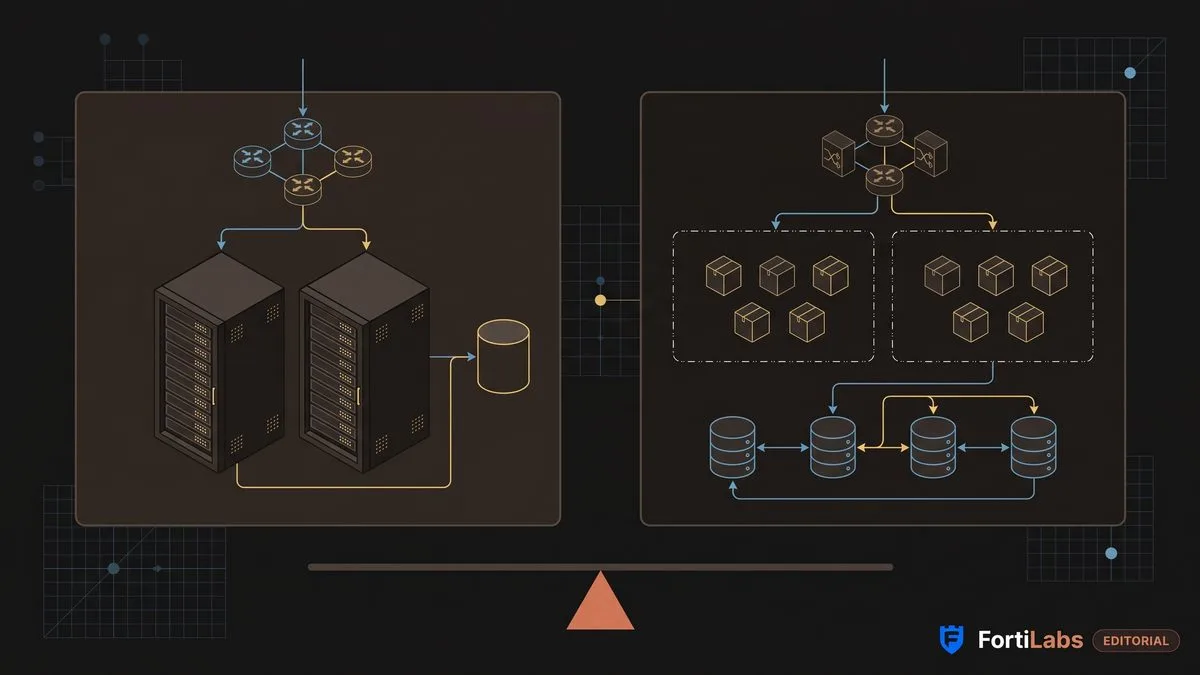
Raw compute pricing misses two constraints that decide whether a self-hosted PaaS actually saves money. First, a single bare-metal box does not replicate the Availability Zone (AZ) fault isolation of ECS Fargate behind an Application Load Balancer (ALB) and Multi-AZ Amazon RDS. Second, every hour an engineer spends patching host kernels, debugging reverse proxies, verifying database restores, or replacing failed disks reduces the net savings. Evaluating a self-hosted PaaS with Coolify vs. AWS ECS requires comparing resilient topologies side by side and solving explicitly for the maintenance break-even point.
Architecture and control plane boundaries
Coolify and AWS ECS Fargate solve different layers of the infrastructure stack. Coolify’s architecture separates a control plane (three containers: coolify, coolify-db PostgreSQL, and coolify-redis) from workload hosts connected over SSH. When you trigger a deploy, Coolify connects over SSH, runs Docker Engine and Docker Compose commands on the target server (or a dedicated build server), and updates Traefik or Caddy routing labels. User HTTP traffic flows directly to each server’s reverse proxy rather than through the Coolify dashboard.
Self-hosted Coolify is free with full features under the Apache-2.0 license, while optional Coolify Cloud hosts the control-plane dashboard at $5/month for up to two servers plus $3/month per additional server. Running containers stay online if the Coolify dashboard stops, because Docker and the reverse proxy run independently on the host.
AWS ECS with Fargate is a managed container orchestrator ($0 control-plane fee for ECS itself) paired with serverless Firecracker microVM isolation. Each Fargate task receives its own Elastic Network Interface (ENI) in awsvpc mode inside your Virtual Private Cloud (VPC). Around that compute layer sit managed AWS primitives: ALB for ingress, AWS Certificate Manager (ACM) for TLS, Amazon Elastic Container Registry (ECR), CloudWatch Logs, NAT Gateways for private subnet egress, and managed stateful engines like RDS and ElastiCache. AWS backs Multi-AZ Fargate compute with a 99.99% Monthly Uptime Percentage SLA (credit-backed upon support claim).
The single-node trap and Coolify multi-server limits
Many cost comparisons pit one €59/month dedicated server against a Multi-AZ AWS production stack. That comparison trades away resilience without pricing the risk. If a single bare-metal server suffers a motherboard, power supply, network card, or NVMe controller failure, every application container and database on that machine goes offline until hardware replacement and manual recovery complete—even with software RAID 1 disk mirroring.
Before assuming Coolify behaves like a multi-node Kubernetes or ECS cluster, check Coolify’s multi-server deployment documentation. Adding multiple servers to one application works by pushing a built image to an external container registry and running identical standalone containers on each connected server. Three documented constraints govern that model:
- No built-in load balancer or failover: Coolify does not distribute traffic across servers; you must place an external load balancer (such as Hetzner Cloud Load Balancer, Vultr Load Balancer, or Cloudflare) in front and manage DNS health checks and firewalls yourself.
- No Docker Compose or persistent-storage apps: Multi-server application scaling is unavailable for Docker Compose deployments or any application configured with persistent storage mounts.
- Standalone database containers and Swarm deprecation: Coolify’s one-click databases deploy standalone containers without built-in active-standby failover (getting automated RDS-style promotion on bare metal requires managing tools such as Patroni or an external managed database). Meanwhile, Coolify’s October 2026 feature comparison confirms experimental Docker Swarm support is deprecated and scheduled for removal in Coolify v5.
A fair production baseline for Coolify on bare metal therefore uses at least two application/database hosts behind an external load balancer, a separate low-cost build or control-plane VM so image builds never starve production apps, and off-server S3-compatible object storage for backups.
Hetzner EX-line vs. Vultr Bare Metal hardware realities
Choosing between Hetzner’s EX dedicated root servers and Vultr involves both geography and hardware class. First, distinguish Vultr Bare Metal (single-tenant physical machines with no hypervisor) from Vultr Optimized Cloud Compute (previously called Dedicated Cloud—virtualized VMs with dedicated AMD EPYC vCPUs starting at $30/month for 1 vCPU and 4 GB RAM on Vultr’s pricing page). Only Vultr Bare Metal competes directly with Hetzner EX dedicated servers.
- Hetzner EX-line (Germany and Finland only): The entry EX44 (€59.00/month, €0 setup, excl. VAT) provides an Intel Core i5-13500 (14 cores), 64 GB DDR4 (non-ECC), 2× 512 GB Gen4 NVMe, and a 1 Gbit/s unlimited port. Stepping up to the EX63 (€149.00/month + €74.00 setup) upgrades to an Intel Core Ultra 7 265 (20 cores), 64 GB DDR5 ECC memory (configurable up to 192 GB), and 2× 1 TB Datacenter NVMe SSDs; adding a 10 Gbit/s port switches traffic from unlimited to a 20 TB/month cap plus €1/TB overage. Heavy workloads can step up to the EX131 (€559.00/month + €279.00 setup) with a 32-core Xeon Gold 6731P and 128–256 GB DDR5 registered ECC. Hetzner guarantees a 99.9% annual network availability and replaces defective hardware 24/7 via Robot support tickets, but provides no zero-downtime hardware SLA and no US/APAC locations in the EX line.
- Vultr Bare Metal (34 global regions): CPU servers on Vultr Bare Metal bill hourly or monthly with zero setup fee, ranging from $120/month (Intel E3-1270, 4c/8t, 32 GB RAM, 5 TB bandwidth) to $350/month (Intel E-2388G, 8c/16t, 128 GB RAM, 2× 1.92 TB NVMe, 10 TB bandwidth) and $365–$395/month (AMD EPYC 4345P, 8c/16t, 64–128 GB RAM, 25 Gbps network). Vultr’s SLA guarantees 100% network and host-node availability via service credits upon ticket request, though OS, software, and customer-side recovery after a physical failure remain your responsibility.
| Dimension | Hetzner EX (Coolify) | Vultr BM (Coolify) | AWS ECS Fargate |
|---|---|---|---|
| Isolation unit | Single-tenant physical Linux host running Docker containers | Single-tenant physical Linux host running Docker containers | Managed Firecracker microVM per task across multiple AZs |
| Published SLA | 99.9% network availability; 24/7 ticket-based hardware swap | 100% host-node & network credit SLA; no software SLA | 99.99% Multi-AZ Compute SLA (99.5% single instance) |
| Regions | Germany (FSN1) and Finland (HEL1) only for EX line | 34 global regions (North America, EU, APAC, LATAM) | All commercial AWS Regions with Multi-AZ subnets |
| Memory & egress | 64 GB non-ECC on EX44; ECC DDR5 on EX63/EX131; 1G unlimited | 32–256+ GB RAM; 5–10 TB included egress per host | Up to 120 GB (16 vCPU) or 244 GB (32 vCPU); $0.09/GB egress |
Deployment speed and rollout safety
Deployment speed favors Coolify on warm builds, while rollout safety favors AWS ECS when traffic-shifting gates and automated rollback matter.
On bare metal with Coolify, builds run locally on Gen4/Gen5 NVMe disks using Docker BuildKit layer caching—or on an offloaded Coolify build server that compiles the image and pushes it to a container registry such as GitHub Container Registry (GHCR). Keeping builds on a separate build server avoids CPU and memory spikes on production nodes during heavy Next.js, Go, or Rust compiles, though build servers require matching CPU architecture and do not support Docker Compose applications.
For zero-downtime restarts on a single host, Coolify’s rolling updates documentation specifies a start-first sequence: Coolify starts the new container alongside the old one, waits for its configured health check to pass, switches Traefik/Caddy routing, and stops the old container after the Stop Grace Period (configurable from 1 to 3,600 seconds, default 30 seconds). That zero-downtime flow only applies to Dockerfile, Nixpacks, Railpack, Static, and Docker Image applications. It is disabled for Docker Compose deployments, pull-request previews, containers publishing static host ports, and containers with fixed names or custom IPs. Note also that Coolify is transitioning default buildpack support from Nixpacks (now in maintenance mode) toward Railpack, and Coolify rollbacks redeploy a retained local image without reverting database migrations.
On AWS ECS Fargate, builds run outside the runtime host (typically GitHub Actions or AWS CodeBuild) and push images to Amazon ECR. Every new Fargate task pays a cold-start penalty because AWS must provision a Firecracker microVM, attach an awsvpc ENI, and pull container layers over the network without a persistent host Docker layer cache, as noted in AWS ECS task launch guidance. Tasks commonly take 20 to 60+ seconds to become healthy, and ALB target deregistration defaults to 300 seconds unless shortened. Teams with images larger than 250 MiB can mitigate pull latency by indexing images with Seekable OCI (SOCI) v2 lazy loading.
Where ECS pulls ahead is automated progressive delivery. Since AWS launched built-in blue/green deployments in July 2025, ECS services using the native ECS deployment controller support blue/green, canary, and linear traffic shifting with ALB/NLB/Service Connect, pre-shift Lambda validation hooks, bake times, and automated CloudWatch Alarm rollback—removing the older CodeDeploy dependency.
Persistent storage and stateful services
Storage economics explain much of the cost gap between the two stacks.
Coolify mounts Docker named volumes and host directories directly onto your server’s local NVMe RAID 1 mirror with zero per-gigabyte or provisioned IOPS fees. Running PostgreSQL, Redis/Valkey, file uploads, or background job queues on local Gen4 NVMe delivers low-latency disk performance out of the box. The constraint is locality: local NVMe storage cannot span multiple servers, and Coolify blocks multi-server deployment on any app carrying persistent storage mounts.
Every AWS Fargate task includes 20 GB of ephemeral storage (expandable up to 200 GB at $0.000111/GB-hour), which disappears when the task stops. Teams looking to migrate stateful Docker volumes onto Fargate often misread Amazon EBS for ECS Fargate:
- Fargate tasks (Linux platform version 1.4.0+) can attach at most one newly provisioned or snapshot-seeded EBS volume per task at launch (excluding availability zone
use1-az3). - You cannot re-attach an existing stateful EBS volume from a stopped service task to its replacement task; service-managed EBS volumes are deleted automatically when the task terminates.
For shared persistent storage across Fargate tasks and Availability Zones, Amazon EFS on Fargate mounts POSIX NFS storage at $0.30/GB-month (Standard regional) and launches an internal aws-fargate-supervisor container inside your task’s CPU and memory budget. EFS works well for shared uploads or CMS assets, but network filesystem latency makes it unsuitable for relational databases. Consequently, production ECS teams offload databases and caches to Amazon RDS, Amazon ElastiCache, and Amazon S3—adding managed service multipliers on top of compute.
Automatic SSL via Traefik vs. ALB and ACM
Coolify bundles Traefik by default (with Caddy as an alternative) to manage reverse proxy routing and Let’s Encrypt TLS certificates. For explicit hostnames exposed publicly on ports 80 and 443, Coolify’s domain documentation configures ACME HTTP-01 issuance automatically. Avoid relying on HTTPS for built-in sslip.io test domains because Let’s Encrypt rate-limits those shared zones.
Wildcard certificates (*.example.com) or firewalled servers behind private edges require switching Traefik to ACME DNS-01 via Lego. As documented in Coolify’s Traefik DNS challenge guide, edits must be saved inside the Coolify dashboard under Servers > your server > Proxy > Configuration rather than only editing /data/coolify/proxy/docker-compose.yml on disk, because proxy restarts overwrite unmanaged file edits.
Below is the documented Traefik DNS-01 Compose snippet for Cloudflare (remove the two default httpchallenge flags and use a token scoped strictly to DNS edit permissions for the target zone):
services:
  traefik:
    environment:
      - CF_DNS_API_TOKEN=YOUR_CLOUDFLARE_DNS_API_TOKEN
    command:
      # Keep all other existing proxy command flags intact.
      - '--certificatesresolvers.letsencrypt.acme.dnschallenge.provider=cloudflare'
      - '--certificatesresolvers.letsencrypt.acme.dnschallenge.delaybeforecheck=0'
      - '--certificatesresolvers.letsencrypt.acme.storage=/traefik/acme.json'
After saving the configuration and clicking Restart Proxy in Coolify, redeploy one domain resource and verify certificate issuance from outside the host (for example with curl -Iv https://app.example.com or inspecting Proxy > Logs in the dashboard). Note one multi-server nuance: each connected server keeps its own local coolify-proxy and acme.json certificate state. When putting two bare-metal Coolify nodes behind an external load balancer, terminate TLS at the upstream load balancer/CDN edge (using cloud certs or Cloudflare Origin certs) or synchronize DNS-01 storage instead of letting two nodes race on HTTP-01 challenges.
AWS handles TLS through ACM and ALB instead. Public non-exportable SSL certificates—including wildcards—attached to an ALB cost $0 in ACM and renew with zero local state files. You pay for the Multi-AZ ALB itself: $0.0225/hour (~$16.43/month) base, $0.008 per Load Balancer Capacity Unit (LCU)-hour, plus $0.005/hour per public IPv4 address across two AZs (~$7.30/month).
Backup, disaster recovery, and maintenance
Operational discipline diverges sharply at disaster recovery. On AWS ECS Fargate with Multi-AZ RDS, container definitions live in Git/Terraform, images sit in ECR, and RDS handles automated daily snapshots, transaction-log Point-in-Time Recovery (PITR) down to roughly five minutes, and ~60–120 second Multi-AZ standby failover.
Coolify provides built-in backup automation, but three separate layers remain your team’s responsibility to wire together and drill:
- Control-plane state and encryption key: An instance backup dumps only Coolify’s PostgreSQL database (
coolify-db). To restore onto a fresh server, you must also keep an off-server copy ofAPP_KEYfrom/data/coolify/source/.envand SSH keys from/data/coolify/ssh/keys/. - Scheduled database dumps: Coolify’s database backup engine runs scheduled dumps for PostgreSQL, MySQL, MariaDB, MongoDB, ClickHouse, and SQLite and uploads them to S3-compatible buckets (such as Cloudflare R2, AWS S3, or Hetzner Object Storage at €6.49/month for 1 TB storage + 1 TB egress). Scheduled dumps carry a Recovery Point Objective (RPO) equal to the dump interval rather than continuous Write-Ahead Log (WAL) streaming unless you add tools like
pgBackRestorWAL-G. - Persistent volume archives: Since v4.3.0, storage mount backups archive directories or Docker volumes to
.tar.gzon S3. Consistent snapshots require optionally stopping the container during archiving, and Coolify documents no one-click dashboard restore for volume archives.
Recovery gaps to plan around: Restoring Coolify’s instance backup without the matching APP_KEY leaves stored credentials and SSH keys encrypted and unusable. Coolify also provides no scheduled backup UI for Redis, Dragonfly, or KeyDB, and does not restore application volume tarballs from the dashboard—test manual recovery drills before relying on them.
Ongoing maintenance also requires active ownership. Linux kernel security updates, NVMe SMART/RAID monitoring, Docker disk pruning, and Coolify security releases cannot be ignored—for example, Coolify’s October 21, 2026 release (v4.4.7 and parallel security backports across v4.0–v4.3) patched critical dependency CVEs requiring immediate panel updates across self-hosted instances, followed by active v4.7.x patch releases on GitHub in November 2026.
| Area | Coolify Bare Metal | AWS ECS Fargate + RDS |
|---|---|---|
| Rollout speed | Fast local NVMe BuildKit cache; rolling start-first updates (not Compose) | External CI + ECR pull (20–60s cold start; SOCI v2 helps); native blue/green & canary |
| Storage | Fast local RAID 1 NVMe volumes ($0/GB); tied to single server | EBS task volumes deleted on stop; EFS ($0.30/GB) for shared files; RDS for DB |
| TLS certs | Traefik/Caddy ACME HTTP-01 or DNS-01; local acme.json state per node |
ACM public/wildcard certs at $0 on ALB; zero local certificate state |
| Backup & DR | Manual APP_KEY + SSH key backup; S3 DB dumps (no Redis); manual volume tar restore |
Multi-AZ RDS automatic failover + ~5-min PITR; IaC task redeployment |
| Maintenance | OS kernels, RAID health, Coolify CVE updates, restore drills, hardware ticket recovery | IAM/VPC/Terraform hygiene, RDS engine upgrades, ECR scans, Cost Explorer tuning |
Monthly cost models: $1,000–$5,000 AWS vs. bare metal
To avoid single-server under-scoping, the illustrative calculations below compare two realistic production AWS PostgreSQL + ECS Fargate workloads in us-east-1 / us-east-2 (730 hours/month, published November 2026 rates) against resilient two-node bare-metal Coolify pairs with an external load balancer, dedicated build VM, off-site S3 backups, and external log/uptime monitoring.
Modeling inputs:
- AWS Profile A (Growth SaaS, $1,268/mo On-Demand): 16 vCPU / 32 GB Linux x86 Fargate ($0.04048/vCPU-hr + $0.004445/GB-hr per AWS Fargate pricing = $577/mo), Multi-AZ RDS PostgreSQL
db.m6g.large($0.318/hr) + 200 GBgp3($278/mo), 2-node ElastiCachecache.t4g.medium($95/mo), 1 ALB + 4 LCUs + 2 IPv4s ($47/mo), 2 NAT Gateways + 500 GB processing ($88/mo), 1 TB internet egress after 100 GB free ($83/mo), and 150 GB CloudWatch Logs + alarms/ECR ($100/mo). - AWS Profile B (Mid-Scale Platform, $3,623/mo On-Demand): 52 vCPU / 128 GB Linux x86 Fargate ($1,952/mo), Multi-AZ RDS PostgreSQL
db.m6g.xlarge($0.636/hr) + 500 GBgp3($579/mo), 2-nodecache.m6g.large($218/mo), 2 ALBs ($141/mo), 2 NAT Gateways + 1.5 TB processing ($133/mo), 3 TB internet egress ($270/mo), plus 200 GB EFS ($60/mo), 400 GB CloudWatch Logs ($200/mo), and metrics/ECR/CI ($70/mo). - AWS Optimized Columns: Switching Fargate to ARM/Graviton ($0.03238/vCPU-hr + $0.00356/GB-hr) plus a conservative 30% 1-year Compute Savings Plan discount (AWS advertises up to 50% on Fargate across longer/all-upfront terms), 1-year No-Upfront RIs (~36% off RDS/ElastiCache), free S3 Gateway VPC Endpoints ($0/GB) alongside AWS PrivateLink interface endpoints ($0.01/hr/AZ + $0.01/GB vs. $0.045/GB via NAT) where traffic justifies it, and log-level trimming.
- Bare Metal Resilient Pairs: Hetzner 2× EX63 ECC (€149/mo × 2 plus €148 setup amortized over 12 months at 1.12 USD/EUR = $348/mo) or Vultr 2× Intel E-2388G 128 GB NVMe ($700/mo), plus $20/mo external load balancer/failover IP, $20–$24/mo build server VM, $7–$15/mo S3 backups, and $60/mo external log/uptime alerting. (A non-redundant single Hetzner EX44 with Object Storage and monitoring runs ~$103/mo, but introduces single-host downtime risk.)
| Cost Component | AWS Profile A (On-Demand) | AWS Profile A (Optimized) | AWS Profile B (On-Demand) | AWS Profile B (Optimized) | Hetzner 2× EX63 Coolify | Vultr 2× E-2388G Coolify |
|---|---|---|---|---|---|---|
| Compute (Fargate or Bare Metal) | $577 | $323 | $1,952 | $1,093 | $348 | $700 |
| Database & Cache (RDS/ElastiCache) | $373 | $255 | $797 | $551 | $0 (on host NVMe) | $0 (on host NVMe) |
| Load Balancing & Public IPv4 | $47 | $47 | $141 | $141 | $20 | $20 |
| NAT Gateways & Internet Egress | $171 | $156 | $403 | $362 | $0 (1G unlimited) | $0 (20 TB incl.) |
| Storage, Backups, Logs & CI/Build | $100 | $50 | $330 | $230 | $87 | $99 |
| Total Monthly Infrastructure | $1,268 | $831 | $3,623 | $2,377 | $455 | $819 |
Optimize AWS before re-platforming: In both profiles, migrating x86 Fargate tasks to Graviton, buying 1-year Compute Savings Plans and RDS Reserved Instances, adding free S3 Gateway Endpoints, and trimming verbose CloudWatch logs cuts the AWS bill by ~34% with zero pipeline rewrites.
Break-even engineering hours and payback
Infrastructure savings vanish the moment incremental engineering maintenance exceeds the monthly bill gap. Solve for break-even using ΔH_breakeven = (C_AWS − C_BareMetal) / R, where net monthly savings equal (C_AWS − C_BareMetal) − (ΔH × R).
| Variable | Definition & Modeled Baseline |
|---|---|
C_AWS − C_BareMetal |
Gross monthly cloud bill savings before labor |
ΔH |
Incremental monthly ops hours beyond AWS ECS (H_Coolify − H_AWS; baseline +8 hrs/mo) |
R |
Fully loaded engineering cost ($75, $115, or $150/hr) |
| Migration cost | 80 engineering hours at $115/hr ($9,200 one-time) |
| Comparison Scenario | Gross Savings/Mo | Break-Even @ $75/hr | Break-Even @ $115/hr | Break-Even @ $150/hr | Net/Mo @ +8h ($115/hr) & Payback |
|---|---|---|---|---|---|
| Profile A On-Demand ($1,268) → Hetzner EX63 ($455) | $813 | 10.8 hrs | 7.1 hrs | 5.4 hrs | -$107/mo (No payback) |
| Profile A Optimized ($831) → Hetzner EX63 ($455) | $376 | 5.0 hrs | 3.3 hrs | 2.5 hrs | -$544/mo (No payback) |
| Profile A Optimized ($831) → Vultr Pair ($819) | $12 | 0.2 hrs | 0.1 hrs | 0.1 hrs | -$908/mo (No payback) |
| Profile B On-Demand ($3,623) → Hetzner EX63 ($455) | $3,168 | 42.2 hrs | 27.5 hrs | 21.1 hrs | +$2,248/mo (4.1 mo payback) |
| Profile B Optimized ($2,377) → Hetzner EX63 ($455) | $1,922 | 25.6 hrs | 16.7 hrs | 12.8 hrs | +$1,002/mo (9.2 mo payback) |
| Profile B On-Demand ($3,623) → Vultr Pair ($819) | $2,804 | 37.4 hrs | 24.4 hrs | 18.7 hrs | +$1,884/mo (4.9 mo payback) |
| Profile B Optimized ($2,377) → Vultr Pair ($819) | $1,558 | 20.8 hrs | 13.5 hrs | 10.4 hrs | +$638/mo (14.4 mo payback) |
| Upper Band ($4,850) → Vultr Pair ($819) | $4,031 | 53.7 hrs | 35.1 hrs | 26.9 hrs | +$3,111/mo (3.0 mo payback) |
Across the $1,000–$5,000/month bracket, the break-even slope splits cleanly into two regimes:
- Below ~$1,500/month in AWS spend: Once Graviton and Compute Savings Plans are applied, a resilient two-node bare-metal Coolify setup leaves only $12–$376/month in gross savings. At $115/hour, a single 4-hour incident debugging a Traefik certificate renewal or rehearsing a database restore puts the migration underwater for the month.
- Between $2,500 and $5,000/month in AWS spend: Flat-rate dedicated hardware and included terabytes of bandwidth reverse the math. Even at +8 incremental maintenance hours/month ($920/month at $115/hour), Profile B nets $638–$2,248/month, and an egress-heavy $4,850/month AWS fleet migrating to Vultr Bare Metal nets $3,111/month with a 3-month migration payback.
Decision framework: when each stack wins
Choose Coolify on bare metal when
- Your post-Savings-Plan AWS bill exceeds $2,000–$2,500/month and steady-state compute, NAT gateways, egress, or CloudWatch logs drive the majority of spend.
- At least one engineer comfortably owns Linux administration, software RAID monitoring, Traefik/DNS-01 TLS configuration, and quarterly S3 +
APP_KEYrestore drills. - Workloads tolerate Germany/Finland latency (Hetzner EX63 ECC) or sit above $3,000/month where global Vultr Bare Metal still leaves ample net savings.
Keep AWS ECS on Fargate when
- Monthly spend sits near $1,000–$1,800/month and Graviton + 1-year Savings Plans haven’t been applied yet.
- No engineer wants 24/7 host kernel, disk-swap, or database-failover responsibility, or compliance requires AWS-managed Multi-AZ isolation and Business Associate Agreements.
- Traffic spikes wildly (for example, large batch jobs that scale to zero) or deployments depend on native ECS blue/green traffic shifting with CloudWatch alarm rollbacks.
Pragmatic hybrid option: Teams that want lower compute bills without owning stateful database failover can keep primary relational databases on Amazon RDS (or a managed Postgres provider) and offload stateless microservices, background workers, staging environments, and preview apps onto bare-metal Coolify.
Frequently asked questions
Can Coolify automatically fail over containers across bare-metal nodes like AWS ECS?
No. Coolify’s multi-server deployment feature deploys the same registry image to multiple standalone servers without an integrated load balancer, without cross-node storage replication, and without support for Docker Compose or persistent-storage applications. Achieving Multi-AZ-like high availability requires placing an external load balancer or failover IP in front of nodes and running independent database replication.
What is the difference between Vultr Bare Metal and Vultr Optimized Cloud Compute (formerly Dedicated Cloud)?
Vultr Bare Metal provisions single-tenant physical servers with no hypervisor layer ($120–$725+/month for CPU SKUs with local NVMe/SSD arrays). Vultr Optimized Cloud Compute (previously termed Dedicated Cloud) rents virtual machines backed by dedicated AMD EPYC vCPUs (starting at $30/month for 1 vCPU, 4 GB RAM, and 30 GB NVMe) with hypervisor snapshots and virtual networking.
Can you run a stateful database on AWS Fargate using Amazon EBS?
Not safely for long-lived production services. While Fargate supports attaching one EBS volume per task at launch, AWS documentation specifies that ECS deletes service-managed task EBS volumes when a task stops and cannot re-attach the existing volume to a replacement task. Persistent databases on AWS belong on Amazon RDS or self-managed EC2 clusters rather than ephemeral Fargate tasks.
What happens to running Coolify applications if the Coolify dashboard server goes down?
Running applications and their reverse proxy continue serving user traffic because Coolify separates the SSH-based control path from the host’s Docker and Traefik/Caddy data path. However, deployments, webhook triggers, UI rollbacks, and Coolify-orchestrated scheduled backups pause until the Coolify instance and its PostgreSQL database are restored alongside APP_KEY.
Sources and verification notes
All technical capabilities, pricing rates, and service-level terms in this guide were verified against primary vendor documentation in November 2026. Cost tables represent illustrative calculations using us-east-1 / us-east-2 AWS rates, Hetzner EX-line rates excluding VAT (converted at 1.12 USD/EUR), and Vultr Bare Metal list pricing rather than production billing measurements. Code snippets reflect Coolify’s published proxy documentation and were not executed live against a cluster.
- Coolify Docs: How Coolify works, Rolling Updates, Build Servers, and Multi-Server Deployments
- Coolify Docs: Traefik DNS Challenge, Database Backups, Storage Mount Backups, and Instance Restore
- Coolify GitHub Releases and Coolify Changelog
- Hetzner EX44, EX63, EX131, Hetzner Object Storage, and Hetzner Availability TOMs
- Vultr Bare Metal, Vultr Optimized Cloud Compute Pricing, and Vultr SLA
- AWS Fargate Pricing, ELB Pricing, Amazon VPC Pricing, AWS PrivateLink Pricing, ACM Pricing, Compute Savings Plans, and AWS Compute SLA
- AWS ECS Built-in Blue/Green Deployments (July 2025), Amazon ECS EBS Volumes, and Amazon ECS EFS Volumes