Short answer: Neon and Supabase solve serverless Postgres from opposite ends of the stack. Neon decouples compute from storage so idle databases scale to zero in 5 minutes, wake in a few hundred milliseconds, accept up to 10,000 PgBouncer clients, expose SQL over HTTPS/WebSockets, and fork copy-on-write pull-request branches in under a second. Supabase runs an always-on dedicated Postgres instance on paid plans (zero database cold starts, 200–12,000 pooler clients across Supavisor or Dedicated PgBouncer) alongside Auth, Storage, and PostgREST—and becomes cheaper than Neon once steady 24/7 traffic eliminates idle compute savings.
- Neon Pricing (Nov 2026)
- Free $0 (100 CU-hrs/project); Launch $0.106/CU-hr; Scale $0.222/CU-hr + $0.35/GB-mo
- Supabase Pricing (Nov 2026)
- Free $0 (pauses after 7d idle); Pro $25/mo ($10 credit); Team $599/mo; 7d PITR +$100/mo
- Pooler Client Ceiling
- Neon: 10,000 per compute (-pooler); Supabase: 200 (Micro) to 12,000 (16XL)
- Dedicated Baseline
- AWS RDS db.m8g.large (2 vCPU/8 GB) $122.64/mo On-Demand ($79.57 1-yr RI) + gp3
Architecture and Cold Starts: Decoupled Compute vs. Always-On Instances
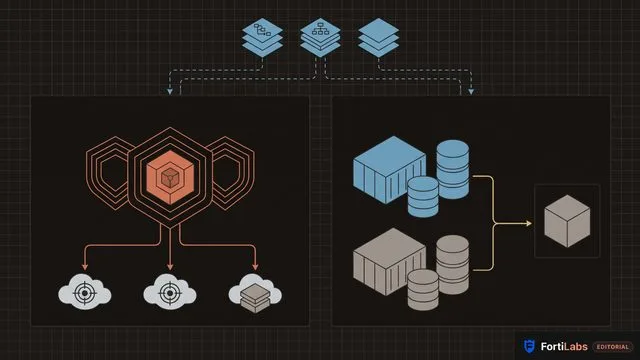
The phrase “serverless Postgres” covers two fundamentally different architectures here. Neon’s Lakebase architecture separates stateless Postgres compute virtual machines from a distributed storage engine composed of Paxos-replicated Safekeepers (Write-Ahead Log quorum across Availability Zones), local-NVMe Pageservers, and cloud object storage. Because durable state lives outside the VM, Neon can autoscale compute dynamically (up to 16 CU without restarts, or fixed sizes up to 56 CU on Scale) and suspend idle computes entirely.
Supabase provisions each paid project on a dedicated, single-tenant Postgres server attached to General Purpose (gp3) or High Performance (io2) SSD storage. Paid Supabase projects—starting with Pro at $25/month—never auto-pause. Calling Supabase “serverless” refers to its consumption layer (PostgREST Data API, Auth, Edge Functions, and connection pooling) rather than compute elasticity: scaling up or down requires a manual instance resize that typically incurs under two minutes of downtime.
What happens during a Neon cold start
By default, Neon scales inactive computes to zero after 300 seconds (5 minutes) on all plans. Free plans lock this timeout at 5 minutes; Launch plans can toggle scale-to-zero on or off; Scale plans can tune suspend_timeout_seconds from 60 seconds up to 604,800 seconds (7 days) or disable suspension entirely with -1.
When a request hits a suspended Neon endpoint, Neon’s latency documentation states that reactivating a compute from a pre-warmed VM pool typically takes “a few hundred milliseconds” (around 500 ms in aws-us-east-2), though Neon’s integration troubleshooting notes advise expecting 1–2 seconds end-to-end on a first connection once TLS handshake and cross-region distance are included.
Wait-time on wake-up is only half the cold-start tax. Suspending a compute VM also flushes PostgreSQL’s shared_buffers and Neon’s compute Local File Cache (LFC), which caches up to 75% of compute RAM on instances below 18 CU. While Neon reports 99.46% of fleet page reads hit local compute cache when warm, the first burst of queries after wake-up experiences elevated LFC misses that must cross the local network to a Pageserver’s NVMe tier until the working set warms again.
What “cold start” means on Supabase
On Supabase Free ($0), projects do not scale to zero in milliseconds; Supabase pauses Free projects after 7 days of low database activity, taking the database completely offline until manually restored from the dashboard (minutes, not sub-second, with a 1-year retention window before static backups age out). That makes Supabase Free unsuitable for intermittent production endpoints, whereas Neon Free wakes automatically on incoming queries.
On Supabase Pro and above, database cold starts are zero because the Postgres process stays resident 24/7 with warm OS page cache and shared_buffers. Your latency floor is strictly your application cold boot (Next.js or Cloudflare Worker startup) plus network round-trip and TLS connection setup—or a single HTTPS round-trip when querying through PostgREST.
Operational detail: If you disable scale-to-zero on Neon Launch or Scale for zero cold starts, Neon recommends a manual weekly compute restart; otherwise an always-active compute never picks up Neon’s weekly compute image updates automatically.
Connection Pooling and Limits: PgBouncer, Supavisor, and Serverless Drivers
A common misconception in serverless architecture briefs is assuming both providers put the same PgBouncer setup in front of Postgres. In reality, their pooling stacks diverge sharply on protocol support, IP versions, and transaction-mode quirks.
- Neon pooling (
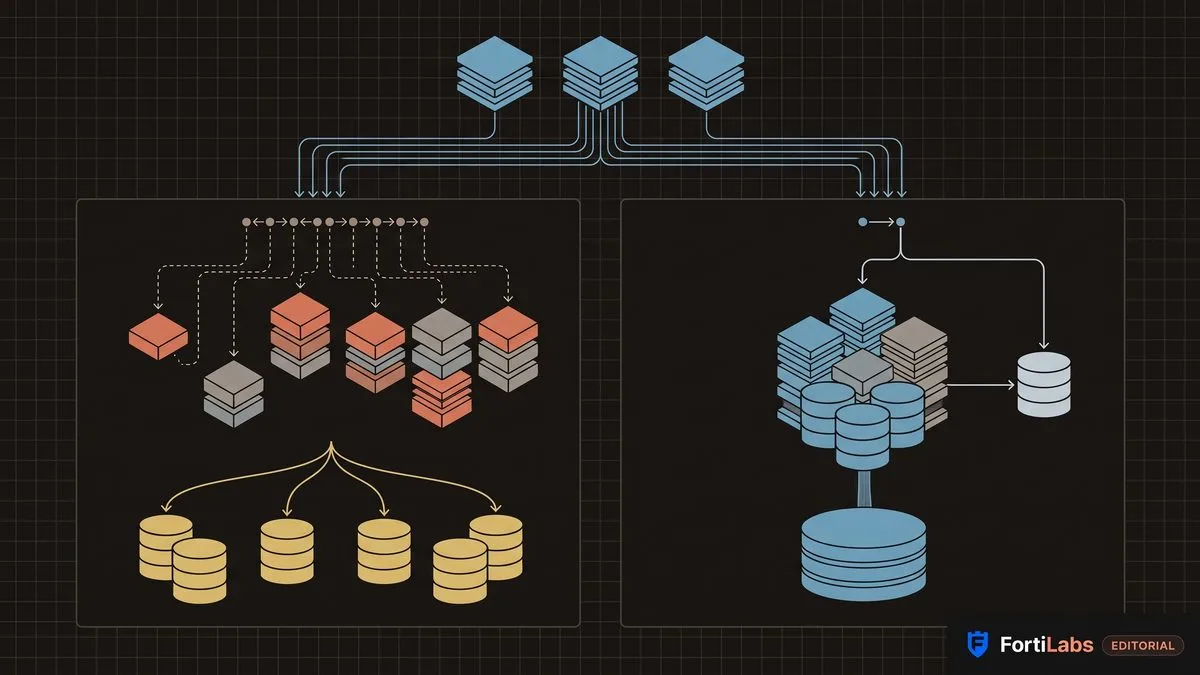
-pooler): Runs managed PgBouncer in transaction mode (pool_mode=transaction), accepting up to 10,000 client connections per compute and opening up todefault_pool_size = 0.9 × max_connectionsper database-user and database-name pair. Crucially, Neon runs PgBouncer 1.22+, which supports protocol-level prepared statements (max_prepared_statements=1000), though SQL-levelPREPARE/EXECUTE,SETsession variables,LISTEN/NOTIFY, and advisory session locks remain unsupported. - Supabase Shared Pooler (Supavisor): Available on every plan over IPv4 on a separate multi-tenant proxy tier (port
6543transaction mode, port5432session mode). Because Supavisor runs on separate infrastructure and does not support prepared statements or query pipelining in transaction mode, clients must disable prepared statements (prepare: falsein Postgres.js/Drizzle,?pgbouncer=truein Prisma) and pay an extra network hop relative to the database host. - Supabase Dedicated Pooler (PgBouncer): Available on Pro and above, co-located on the database instance for lower latency, transaction mode only (port
6543), with prepared statement support on PgBouncer 1.21+. However, both Direct (:5432) and Dedicated Pooler endpoints are IPv6-only unless you pay for the $4/month IPv4 add-on—which swaps the project’sAAAADNS record for anArecord rather than running dual-stack. - HTTPS Data APIs: Both platforms now offer stateless PostgREST-compatible HTTP endpoints—Supabase’s Data API via
supabase-jsand Neon Data API—which validate JWTs and enforce PostgreSQL Row-Level Security (RLS) without holding client TCP sockets.
| Tier / Compute Size | RAM / CPU | Direct max_connections |
Pooler Client Limit | Backend Pool Size | Prepared Statements & IP Support |
|---|---|---|---|---|---|
| Neon 0.25 CU (Free default) | 1 GB / 0.25 vCPU | 112 (105 app slots) | 10,000 | ~100 (90% per role/db) | Protocol-level via -pooler; IPv4 & IPv6 |
| Neon 1 CU | 4 GB / 1 vCPU | 450 | 10,000 | 405 (90% per role/db) | Protocol-level via -pooler; IPv4 & IPv6 |
| Neon 4 CU | 16 GB / 4 vCPU | 1,802 | 10,000 | 1,621 (90% per role/db) | Protocol-level via -pooler; IPv4 & IPv6 |
| Neon 9–56 CU | 36–224 GB | 4,000 (capped) | 10,000 | 3,600 (90% per role/db) | Protocol-level via -pooler; PrivateLink on Scale |
| Supabase Micro (Pro base) | 1 GB / Shared | 60 | 200 | 15 default (configurable) | Supavisor IPv4 (no prepared); Dedicated PgBouncer IPv6 (prepared) |
| Supabase Large | 8 GB / 2 Dedicated | 160 | 800 | 20 default (configurable) | Supavisor IPv4 (no prepared); Dedicated PgBouncer IPv6 (+$4 IPv4) |
| Supabase XL | 16 GB / 4 Dedicated | 240 | 1,000 | 20 default (configurable) | Supavisor IPv4 (no prepared); Dedicated PgBouncer IPv6 (+$4 IPv4) |
| Supabase 16XL | 256 GB / 64 Dedicated | 500 | 12,000 | 128 default (configurable) | Supavisor IPv4 (no prepared); Dedicated PgBouncer IPv6 (+$4 IPv4) |
Note two subtle capacity traps hidden inside those numbers. First, on Neon, older guidance in Neon’s serverless pooling documentation lists 104 and 419 direct slots for 0.25 CU and 1 CU respectively, whereas Neon’s primary connection pooling reference governs current defaults at 112 (7 reserved for superuser, leaving 105 usable slots) and 450. Regardless of the exact slot count, 10,000 is only the client queue ceiling on PgBouncer—if your active parallel transactions exceed default_pool_size, queries wait up to 120 seconds before failing with query_wait_timeout.
Second, on Supabase, Supabase’s connection pooler guide enforces that direct connections plus Supavisor backend connections plus Dedicated PgBouncer backend connections plus internal Supabase services (Auth, PostgREST, Storage, health checks) must stay strictly below max_connections. Leaving Micro at 200 max pooler clients on a 1 GB instance easily starves internal services or triggers memory pressure if background jobs and web requests share one default pool.
Bulkhead isolation: On Neon, PgBouncer allocates separate default_pool_size pools per Postgres role and database name. Creating a dedicated role for batch workers prevents background spikes from exhausting your user-facing API pool—though hard per-role ceilings still require self-hosting PgBouncer.
Runtime Setup: Next.js, Cloudflare Workers, and Node
Your serverless runtime determines which transport actually saves round trips—and where double-pooling or frozen-socket hangs occur.
Next.js (Node.js Runtime with Fluid Compute vs. Single-Concurrency Lambda)
Since April 2025, Vercel’s Fluid Compute routes multiple concurrent invocations into a shared warm Node.js function instance rather than spinning up one container per simultaneous request. In this concurrency model, using a small global TCP pool with attachDatabasePool from @vercel/functions lets warm requests share connections at near-zero setup cost while safely releasing idle clients before the instance suspends:
// Next.js Route Handler / Server Module (Node.js runtime with Fluid Compute)
import { Pool } from 'pg';
import { attachDatabasePool } from '@vercel/functions';

const pool = new Pool({
  connectionString: process.env.DATABASE_URL, // Neon -pooler or Supabase pooler URL
  max: 3,                                     // Keep low; server pooler multiplexes
  idleTimeoutMillis: 10_000,
  connectionTimeoutMillis: 5_000,
  ssl: { rejectUnauthorized: true },
});

attachDatabasePool(pool);

export async function getActiveUser(userId: string) {
  const { rows } = await pool.query(
    'SELECT id, email, plan FROM users WHERE id = $1',
    [userId],
  );
  return rows[0] ?? null;
}
On classic single-request-isolated AWS Lambda or Node containers with high horizontal fan-out, leaving pg or postgres.js at a default pool of 10 means 300 concurrent lambdas immediately demand 3,000 connections—exceeding a 16XL Supabase instance’s direct slots and hitting Neon’s default_pool_size queue. Either clamp local pools to max: 1 on Supabase’s Transaction Pooler (with prepare: false for postgres.js / Drizzle) or switch single-query Lambda routes to Neon’s stateless HTTP driver.
Next.js Edge Runtime and Cloudflare Workers
Next.js Edge Runtime runs on V8 Web APIs without Node net TCP sockets (and note that Next.js now marks runtime: 'edge' deprecated for new routes in favor of the Node.js runtime with Fluid Compute), while Cloudflare Workers exposes raw outbound TCP via cloudflare:sockets (connect()), yet forbids keeping sockets open across separate request contexts. Creating a fresh raw Postgres TCP connection per Worker invocation pays ~7 network round trips (~50–100 ms in TCP handshake, TLS negotiation, and Postgres SCRAM authentication) before sending one byte of SQL.
Two production paths bypass that 7-round-trip penalty:
- Neon
@neondatabase/serverlessover HTTP (neon()) or WebSockets: Theneon()HTTP function executes parameterized SQL queries and non-interactivesql.transaction([...])batches viafetch()in ~3 round trips (with a 64 MB HTTP request/response cap), requiring no Node TCP sockets and leaving zero dangling connections if a worker terminates mid-flight. UsePoolorClientover WebSockets only when you need interactive multi-step transactions—and inside Edge/Workers, create, query, and callend()strictly inside the request handler. - Cloudflare Hyperdrive + native
pg(for Neon or Supabase): Cloudflare Hyperdrive (included free up to 100,000 queries/day on Workers Free and unlimited on Workers Paid) terminates TLS and maintains persistent origin connection pools inside Cloudflare’s network. Critically, both Neon’s Workers guide and Hyperdrive’s Supabase setup instruct you to point Hyperdrive at your direct, unpooled Postgres endpoint (not-pooleror Supavisor) and instantiatepg.Clientinside eachfetchhandler.
// Option A: Neon HTTP driver for Next.js Edge or Cloudflare Workers
import { neon } from '@neondatabase/serverless';

export async function fetchTenantOrders(databaseUrl: string, tenantId: string) {
  const sql = neon(databaseUrl, {
    fetchOptions: { signal: AbortSignal.timeout(5_000) },
  });
  return sql`
    SELECT id, total_cents, status
    FROM orders
    WHERE tenant_id = ${tenantId}
    ORDER BY created_at DESC
    LIMIT 25
  `;
}
Driver flag trap: Supavisor on Supabase requires prepare: false when using postgres.js or Drizzle over transaction mode (port 6543). By contrast, Cloudflare Hyperdrive’s Postgres docs explicitly warn against setting prepare: false with postgres.js, because unnamed parameter-type discovery messages cause queries to hang or fail intermittently under Hyperdrive’s transaction pooler.
What if you want zero Postgres driver complexity at the edge? On Supabase, @supabase/supabase-js calls PostgREST over HTTPS and works identically in Edge Runtime, Workers, and browsers—provided every exposed table defines strict Row-Level Security policies, because queries execute directly under caller JWT context. Neon now provides a PostgREST-compatible Data API as well (no extra charge beyond compute CU-hours, though unavailable when IP Allow or Private Networking is enabled).
Migration Workflows and GitHub PR Branching
Both platforms integrate Postgres into GitHub pull-request previews, yet their underlying mechanics solve completely different developer workflows.
| Dimension | Neon | Supabase |
|---|---|---|
| Branching architecture | Copy-on-write snapshot of storage pages + delta writes | Separate isolated Supabase project stack per branch |
| Starting state & speed | Production data (or --schema-only) ready in under a second |
Empty schema replayed from supabase/migrations + seed files; waits for full stack boot |
| Bundled services | Postgres, Managed Better Auth, Object Storage, Functions, AI Gateway | Postgres, Auth, Storage, Realtime, Edge Functions (secrets via branch config) |
| ORM migration endpoint | Direct unpooled host (DATABASE_URL_UNPOOLED) for Prisma 7 / Drizzle Kit |
Direct IPv6 (:5432) or Supavisor Session Pooler (:5432) for IPv4 CI |
| GitHub PR automation | create-branch-action@v6, delete-branch-action@v3, PR schema diff comments |
Native GitHub integration (Pro+); auto-runs migrations, seeds, and edge deploys |
| Branch billing | 10 included on Launch (25 Scale), then $1.50/branch-mo + active CU-hrs + delta GB | $0.01344/branch-hr (~$9.81/mo 24/7); excluded from $10 credit and Spend Cap |
Neon branching operates at the Pageserver storage layer: creating a branch from main writes only metadata pointers, so forking a 1 GB or 1 TB database finishes in under a second without copying data or taxing production I/O. Because PR branches default to scale-to-zero after 5 minutes, an open PR waiting two days for review accrues compute charges only during actual CI test runs. For regulated datasets where copying production PII into developer previews violates policy, Neon supports --schema-only branching and automated PostgreSQL Anonymizer masking in GitHub Actions.
Both Neon’s Prisma 7 migration guide and Drizzle migration guide advise keeping two environment variables: pooled DATABASE_URL (with -pooler) for runtime queries and unpooled DATABASE_URL_UNPOOLED (no -pooler) for DDL migrations and schema introspection. Even though Neon’s PgBouncer supports protocol-level prepared statements, migrations still expect session-level advisory locks and multi-statement DDL safety. Neon’s official GitHub Actions workflow wires branch creation, migration checks against the ephemeral branch, PR schema diff comments, and deletion on PR close:
# .github/workflows/neon-pr-preview.yml
name: Neon PR Branch & Migration Check
on:
  pull_request:
    types: [opened, reopened, synchronize, closed]

jobs:
  preview-db:
    if: github.event.action != 'closed'
    runs-on: ubuntu-latest
    steps:
      - uses: actions/checkout@v4
      - name: Create isolated Neon branch
        id: branch
        uses: neondatabase/create-branch-action@v6
        with:
          project_id: ${{ vars.NEON_PROJECT_ID }}
          branch_name: preview/pr-${{ github.event.number }}
          parent_branch: main
          api_key: ${{ secrets.NEON_API_KEY }}
      - name: Apply migrations to PR branch via direct endpoint
        env:
          DATABASE_URL_UNPOOLED: ${{ steps.branch.outputs.db_url }}
        run: npx prisma migrate deploy

  cleanup-db:
    if: github.event.action == 'closed'
    runs-on: ubuntu-latest
    steps:
      - name: Delete ephemeral Neon branch
        uses: neondatabase/delete-branch-action@v3
        with:
          project_id: ${{ vars.NEON_PROJECT_ID }}
          branch: preview/pr-${{ github.event.number }}
          api_key: ${{ secrets.NEON_API_KEY }}
Supabase Branching (requires Pro Plan) takes a migration-replay approach: every PR spins up an independent Supabase environment, waits up to 2 minutes for Auth, Realtime, Storage, API, and Postgres health checks, and executes sequential SQL files in supabase/migrations/ against an empty database before running seed.sql. That isolates sensitive production data by default—but introduces three operational caveats documented in Supabase’s November 2026 guides:
- Non-transactional DDL fails in branching: Supabase’s GitHub integration docs specify that branching wraps every migration file inside a single transaction and ignores
-- pg-delta: transaction=falsedirectives, meaningCREATE INDEX CONCURRENTLYsucceeds under manualsupabase db push --remotebut fails inside PR branching. - IPv4 CI runner trap: Default GitHub-hosted Ubuntu runners lack IPv6 routing, so running Prisma or Drizzle migrations directly against
db.[PROJECT-REF].supabase.co:5432fails with network unreachable errors unless you route migrations through the IPv4 Supavisor Session Pooler (port 5432) or enable the $4/month IPv4 add-on. - Continuous branch billing: Supabase bills preview branches at $0.01344/hour for the entire time the PR stays open (starting on Micro compute), outside both your $10 Compute Credits and the Spend Cap. Sixty PRs living for 48 hours each add
60 × 48 × $0.01344 = $38.71/month—compared to a few dollars on Neon when CI runs for 30–60 minutes per branch.
Monthly Cost Scaling at 10M+ Read Queries
Ten million read queries per month sounds large in marketing copy, yet in throughput terms it averages only 3.8 queries per second across a 730-hour month. At that cadence, traffic shape matters far more than query count.
Why? Because Neon’s default scale-to-zero threshold is 300 seconds (and 60 seconds minimum on Scale). If your application receives even one health check, background worker poll, or user request every 4 minutes around the clock, Neon’s compute stays awake all 730 hours/month and accumulates zero idle savings. Only genuinely bursty workloads—such as regional business-hours SaaS apps or daytime analytics tools—reap full scale-to-zero discounts.
The table below models four illustrative production profiles using November 2026 published list rates (730 hrs/mo, 4 KB average payload per read query for egress estimation, and single-region US East deployments). Neon includes 500 GB/project egress ($0.10/GB overage) and bills storage at $0.35/GB-month plus $0.20/GB-month for Instant Restore WAL history. Supabase Pro ($25/month including $10 compute credit, 8 GB disk, and 250 GB egress; $0.125/GB disk overage and $0.09/GB uncached egress overage) is shown both standalone and with 7-day PITR (+$100/month) plus dedicated IPv4 (+$4/month). AWS RDS for PostgreSQL (us-east-2 Single-AZ gp3 at $0.115/GB-month with 100% backup storage included) assumes co-located VPC compute ($0 egress; external egress adds $0.09/GB after 100 GB account free tier) and includes RDS Proxy ($0.015/vCPU-hr) on the 2–4 vCPU tiers.
| Workload Profile | Neon Launch ($0.106/CU-hr) | Neon Scale ($0.222/CU-hr, SLA) | Supabase Pro (Base) | Supabase Pro (+7d PITR & IPv4) | AWS RDS Single-AZ On-Demand (1-Yr RI) |
|---|---|---|---|---|---|
| 10M reads, bursty (12h/day active) 0.5 CU / 2 GB RAM, 20 GB DB, 40 GB egress |
$27.34 | $48.52 | $31.50 (Small) | $135.50 (Small) | $49.75 / $35.15 (t4g.medium) |
| 10M reads, steady 24/7 (~3.8 QPS) 0.5 CU / 2 GB RAM, 20 GB DB, 40 GB egress |
$46.69 | $89.03 | $31.50 (Small) | $135.50 (Small) | $49.75 / $35.15 (t4g.medium) |
| 50M reads, steady 24/7 (~19 QPS) 2 CU / 8 GB RAM, 50 GB DB, 200 GB egress |
$175.26 | $344.62 | $130.25 (Large) | $234.25 (Large) | $150.29 / $107.22 (m8g.large + Proxy) |
| 150M reads, steady 24/7 (~57 QPS) 4 CU / 16 GB RAM, 100 GB DB, 600 GB egress |
$360.52 | $699.24 | $268.00 (XL) | $372.00 (XL) | $300.58 / $214.44 (m8g.xlarge + Proxy) |
Look closely at the crossover behavior as queries grow from 10M to 150M reads/month:
- At 10M steady reads (0.5 CU): Supabase Pro Small ($31.50/mo) undercuts Neon Launch ($46.69/mo) by $15/mo—unless you require point-in-time recovery. Supabase’s 7-day PITR is a flat $100/month add-on, whereas Neon Launch includes up to 7 days of Instant Restore at $0.20/GB-month of changed WAL ($1/mo for 5 GB churn).
- At 50M–150M steady reads (2–4 CU sustained): Supabase Pro’s fixed dedicated instances (Large at $110/mo compute, XL at $210/mo compute) and AWS RDS
db.m8ginstances become materially cheaper than steady-state Neon compute. Once you step onto Neon Scale ($0.222/CU-hr) for its 99.95% uptime SLA, SOC 2/HIPAA compliance, PrivateLink, and OTel exports, a steady 4 CU (16 GB RAM) database reaches $699.24/month—more than triple an AWS RDS 1-Year RIdb.m8g.xlargewith RDS Proxy ($214.44/mo inside VPC) and higher than Supabase Pro XL even with 7-day PITR ($372.00/mo). - Where Neon reclaims the lead at high query volume: Traffic spikes. Neon’s autoscaling analysis shows production workloads with sharp peaks often average 2.4× less compute under autoscaling than fixed instances provisioned for P99.5 peaks. If your 50M monthly reads spike to 4 CU for two hours a day and cruise at 0.5 CU otherwise (time-weighted average
~0.79 CU), Neon Launch compute drops to0.79 × 730 × $0.106 = $61.13/moplus storage ($81.63 total), beating both Supabase Pro Large ($130.25) and RDSdb.m8g.large($150.29). - Egress and compliance cliffs: Beyond 250 GB/month, Supabase charges $0.09/GB across the entire organization; Neon gives 500 GB/month per project before $0.10/GB. Conversely, Supabase locks SOC 2 / ISO 27001 / AWS PrivateLink behind its $599/month Team plan (and 99.9% uptime SLA behind Enterprise), while Neon Scale includes them with $0 monthly minimum.
When Serverless Postgres Becomes More Expensive Than a Dedicated Managed Instance
You can pinpoint the exact financial crossover between consumption-billed serverless Postgres (Neon Launch or Scale) and a dedicated managed instance (Supabase Pro dedicated tiers, AWS RDS, or DigitalOcean Managed PostgreSQL) using two simple formulas.
1. Active-hour duty-cycle break-even (for bursty databases)
Compare a 2 vCPU / 8 GB RAM workload (2 CU equivalent) storing 50 GB of data (plus 15 GB WAL history on Neon, so $17.50 + $3.00 = $20.50/month fixed storage on Neon). The break-even active hours per month (H_break) where Neon equals a fixed dedicated instance (Monthly_Dedicated) is:
H_break = (Monthly_Dedicated - Neon_Fixed_Storage) / (CU × Rate_CU)
| Dedicated Managed Target | Dedicated Monthly Cost | Neon Launch Break-Even ($0.106/CU-hr) | Neon Scale Break-Even ($0.222/CU-hr) |
|---|---|---|---|
| DigitalOcean Managed Postgres (4 vCPU / 8 GB / 140 GB disk) | $122.10 | 479 hrs/mo (66% duty) | 229 hrs/mo (31% duty) |
| Supabase Pro Large (base, no PITR) | $130.25 | 518 hrs/mo (71% duty) | 247 hrs/mo (34% duty) |
AWS RDS db.m8g.large Single-AZ + RDS Proxy (1-Yr RI) |
$107.22 | 409 hrs/mo (56% duty) | 195 hrs/mo (27% duty) |
AWS RDS db.m8g.large Single-AZ + RDS Proxy (On-Demand) |
$150.29 | 612 hrs/mo (84% duty) | 292 hrs/mo (40% duty) |
| Supabase Pro Large (+7d PITR & IPv4) | $234.25 | Always cheaper on Launch | 481 hrs/mo (66% duty) |
AWS RDS db.m8g.large Multi-AZ + RDS Proxy (On-Demand) |
$278.68 | Always cheaper on Launch | 581 hrs/mo (80% duty) |
*Note: Table cells use exact formulas verified in Python against November 2026 rates. Note how H_break for RDS Multi-AZ exceeds 730 hours on Neon Launch ((278.68 − 20.50) / 0.212 = 1,218 hrs), meaning 2 CU 24/7 Launch ($175.26/mo) stays cheaper than Multi-AZ RDS On-Demand ($278.68/mo) all month—though not cheaper than Single-AZ RDS 1-Yr RI ($107.22/mo).
2. Autoscaling variance break-even (for 24/7 traffic)
Once traffic never pauses long enough to scale to zero (730 active hours/month), Neon only saves money over a fixed instance sized to your peak (CU_peak) if your time-weighted average load (CU_avg) stays below the compute rate ratio:
CU_avg / CU_peak < Rate_Dedicated_Per_CU_Hr / Rate_Neon_CU_Hr
For an AWS RDS db.m8g.large Single-AZ ($0.168/hr ÷ 2 = $0.084/CU-hr On-Demand, or $0.0545/CU-hr on 1-Year RI), Neon Scale ($0.222/CU-hr) requires CU_avg / CU_peak < 0.38 against On-Demand (a 2.6× peak-to-average ratio) and < 0.25 against 1-Year RI (a 4× peak-to-average ratio). In plain terms: steady, predictable 24/7 OLTP workloads without spiky peaks belong on fixed instances or Reserved Instances, while spiky workloads with deep valleys belong on autoscaling serverless compute.
Five clear triggers indicate it is time to migrate from usage-based serverless Postgres to a dedicated managed instance (RDS, Aurora, DigitalOcean, or Supabase’s fixed compute tiers):
- Sustained 24/7 utilization above 40–70% duty cycle with a flat load curve (peak-to-average under 2×), where 1-Year Reserved Instances or DigitalOcean fixed nodes cut compute cost by 35–65%.
- Co-located VPC compute with high database egress (>500 GB/month): Running Next.js containers on ECS/EC2 inside the same AWS Availability Zone as RDS drops data transfer to $0/GB, eliminating $0.09–$0.10/GB public internet egress bills.
- Storage-heavy or write-churn-heavy schemas (>500 GB): Neon’s $0.35/GB-month database storage plus $0.20/GB-month Instant Restore WAL history costs roughly 3–4× AWS RDS Single-AZ
gp3($0.115/GB-month with 100% free backup retention). - Read-heavy hotspots without an application cache: Moving 10M+ repetitive catalog/session lookups into Redis, Valkey, or Cloudflare Hyperdrive caching shrinks database CU-hours and egress before you ever need an instance upgrade.
- Strict budget predictability: Fixed instances cap maximum monthly spend even if a missing index or runaway client loop triggers heavy CPU usage.
Decision Framework
Choose Neon when…
- Your serverless or edge stack runs on Next.js Edge, Cloudflare Workers, or AWS Lambda and benefits from
@neondatabase/serverlessHTTP queries without managing TCP poolers. - Your traffic is spiky, business-hours-only, or multi-tenant (up to 100–1,000+ isolated projects with zero base fee and automatic scale-to-zero).
- You want instant copy-on-write GitHub PR branches with real (or anonymized) data, auth users, and zero billing while PRs sit idle.
- You need 99.95% uptime SLA, SOC 2, ISO 27001, PrivateLink, or HIPAA on a pay-as-you-go plan without committing to a $599/month base tier.
Choose Supabase when…
- You want an integrated backend platform—Postgres, Auth, Storage, Realtime, and Edge Functions—configured behind one dashboard and SDK.
- Your paid database runs 24/7 at steady utilization (Micro through XL+), where fixed monthly compute plus $0.125/GB disk undercuts pay-per-second CU-hours and $0.35/GB storage.
- You want zero database cold starts on Pro ($25/mo) without paying per-CU-hour always-on charges or managing weekly manual restarts.
- Your frontend or edge workers already query Postgres safely via PostgREST + Row-Level Security using
supabase-js.
Choose a dedicated managed Postgres instance (AWS RDS, Cloud SQL, or DigitalOcean Managed Databases) once your compute stays above 2–4 dedicated vCPUs 24/7, your dataset exceeds 500 GB with heavy write churn, or your application servers already sit inside the same cloud VPC and can eliminate public egress fees entirely.
Next step before migrating: Measure two metrics in production for seven days—(1) longest gap between queries (to see whether scale-to-zero will ever trigger) and (2) peak-to-average CPU/RAM ratio. Plug those numbers into the duty-cycle and variance equations above before committing to a pricing tier.
Frequently Asked Questions
Can you run pg or postgres.js directly in Cloudflare Workers without Hyperdrive or Neon’s serverless driver?
Yes, via Cloudflare’s cloudflare:sockets connect() API and nodejs_compat, provided you target an IPv4-accessible endpoint (Neon -pooler or Supabase Supavisor). However, Workers cannot keep TCP sockets alive across requests, so every invocation pays full TCP, TLS, and SCRAM authentication overhead (~7 round trips). In production, use Cloudflare Hyperdrive (with your direct DB URL) or Neon’s HTTP neon() driver (~3 round trips).
Does Neon’s -pooler endpoint work with Prisma Migrate and Drizzle Kit?
While Neon’s PgBouncer 1.22+ supports protocol-level prepared statements, both Neon’s Prisma 7 and Drizzle Kit guides instruct passing the unpooled DATABASE_URL_UNPOOLED direct string to migration CLIs. Schema migrations rely on session-level advisory locks and multi-statement DDL behavior that transaction pooling intentionally isolates, so keep pooled URLs for app queries and direct URLs for CI migrations.
Why do Supabase migrations fail from GitHub Actions with IPv6 errors?
Supabase’s Direct Connection (db.[PROJECT-REF].supabase.co:5432) and Dedicated PgBouncer (:6543) resolve to IPv6-only addresses by default, whereas default GitHub-hosted runners only route IPv4 traffic. Either point CI migrations at the IPv4 Shared Pooler in Session Mode (pooler.supabase.com:5432) or enable Supabase’s $4/month IPv4 add-on.
Does Supabase Pro have database cold starts?
No. Only Supabase Free projects pause after 7 days of low database activity (requiring manual dashboard unpause). Pro, Team, and Enterprise projects run continuously 24/7 with warm memory caches; brief downtime occurs only during manual compute resizes (typically under 2 minutes) or full PITR restoration.
Sources and Verification Notes
- Neon documentation & pricing (checked November 2026): Neon Pricing, Neon Plans, Connection Pooling, Neon Serverless Driver, Connection Latency & Timeouts, and Automate Branching with GitHub Actions.
- Supabase documentation & pricing (checked November 2026): Supabase Pricing, Compute and Disk Limits, Connect to Your Database, Connection Pooling and Limits, Supabase Branching, and Database Backups & PITR.
- Edge & Dedicated Cloud References (checked November 2026): Vercel Fluid Compute, Cloudflare Hyperdrive Postgres Docs, AWS RDS for PostgreSQL Pricing, AWS RDS Proxy Pricing, and DigitalOcean Managed Databases Pricing.