WEB LAB / FRONTEND ENGINEERING
Visual Regression Testing at Scale: Chromatic vs Percy in Playwright CI Pipelines
A practical comparison for frontend leads choosing a visual testing platform for shared component libraries, Storybook workflows, and Playwright-based CI pipelines.
SHORT ANSWER
Choose Chromatic if your team builds and reviews a shared design system through Storybook and wants component-centric visual testing, branch-aware baselines, and integrated UI review. Choose Percy if your existing Playwright workflows are central, you want to send browser-driven snapshots into a hosted review system, or you need a configurable cross-browser and responsive rendering matrix. Both ultimately use visual image comparison; neither eliminates the need to control dynamic data, fonts, animations, and rendering environments.
1. Why visual regression testing matters at scale
A frontend test suite can pass while the interface is visibly broken. A button may be covered by an unexpected overlay, a navigation menu may shift outside the viewport, a shared input component may lose its focus indicator, or a responsive layout may overflow on smaller screens. Traditional assertions can confirm that elements exist and interactions work without detecting every visual defect.
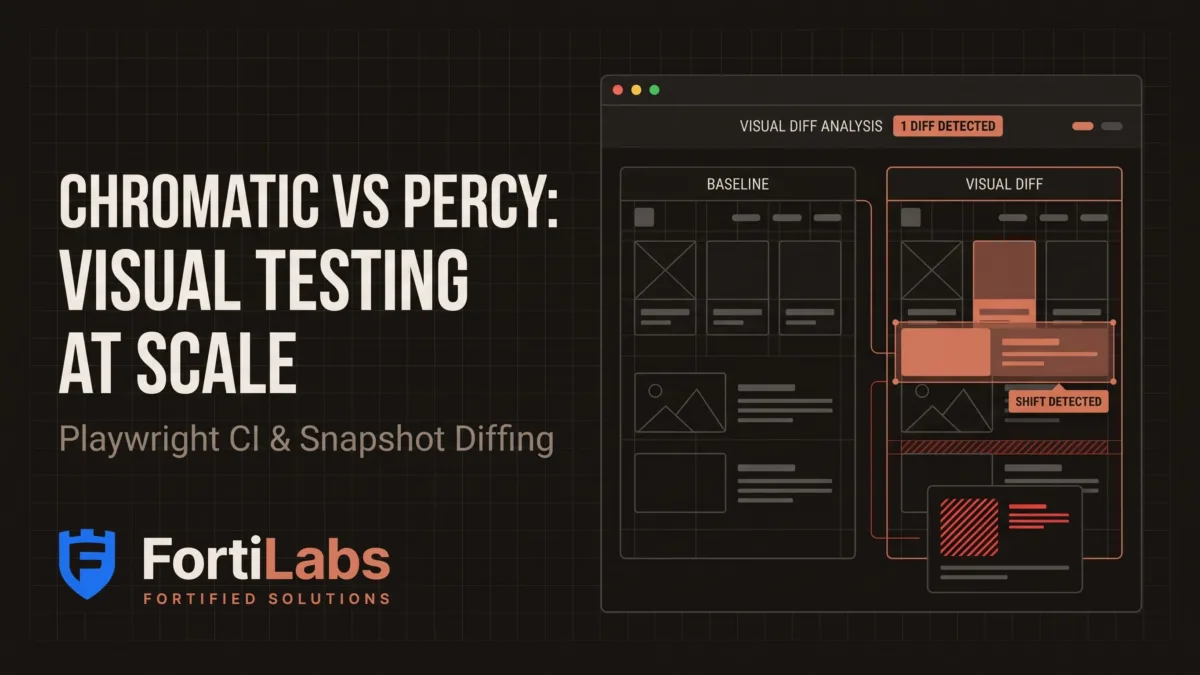
Visual regression testing addresses this gap by capturing a rendered UI state and comparing it with an approved reference image, commonly called a baseline. When a new build differs, the platform produces a visual diff for review.
This becomes particularly important when several product teams depend on the same component library. A change to a shared button, spacing token, typography rule, modal, or navigation component can affect dozens of applications and hundreds of component states.
The challenge is not just capturing more screenshots. It is maintaining reliable baselines, controlling rendering noise, reviewing intentional changes efficiently, and keeping the number of visual checks affordable as the design system grows.
What visual regression testing catches
- Unexpected spacing, alignment, and typography changes.
- Broken responsive layouts and viewport-specific overflow.
- Missing icons, images, fonts, and other static assets.
- Unexpected colors, borders, shadows, and component states.
- CSS regressions introduced by shared design tokens or global styles.
- Browser-specific rendering changes that functional assertions may miss.
What it does not replace
- Functional tests for behavior and business logic.
- Accessibility testing for semantics, keyboard interaction, and assistive technology.
- Cross-browser functional testing of application behavior.
- Performance testing and real-user monitoring.
A useful testing strategy combines all of these. Visual checks answer whether the interface looks as expected; functional checks answer whether it behaves correctly.
2. How Chromatic and Percy capture and compare UI
Before comparing features, separate two concepts: snapshot capture and visual comparison. Capturing the DOM, styles, and assets is one stage. Rendering those inputs and comparing the resulting pixels is another.
How Chromatic works
Chromatic is closely integrated with Storybook. Storybook stories become visual test cases, and Chromatic captures the rendered UI states in its managed infrastructure. It also integrates with Playwright: while Playwright E2E tests run, the integration captures an archive of the page, including DOM, styles, and assets, and uploads it to Chromatic. Chromatic then renders snapshots and performs pixel diffs against approved baselines.
This archive-based approach makes the captured UI inspectable in Chromatic’s review environment. It also moves much of the visual rendering and comparison work out of the developer’s local repository.
How Percy works
Percy integrates with Playwright and Storybook through its SDKs. For web snapshots, it captures the DOM and relevant assets from the running page, uploads the captured information, and renders the page in its server-side infrastructure. Percy then compares the resulting screenshots with the selected baseline.
With the Playwright integration, teams can call percySnapshot() directly or use the supported drop-in integration for Playwright’s toHaveScreenshot() assertions. The latter routes supported screenshot assertions into Percy rather than relying solely on locally stored image baselines.
| Architecture detail | Chromatic | Percy |
|---|---|---|
| Primary design-system workflow | Storybook-first visual testing | Hosted visual testing through SDK integrations, including Storybook |
| Playwright capture | Captures a page archive during the Playwright test workflow | Captures DOM and assets through its Playwright SDK |
| Visual comparison | Rendered image and pixel diff | Rendered image and pixel diff |
| Baseline management | Hosted, Git-aware, branch-aware baselines | Hosted baselines with branch and build selection logic |
| Review experience | Story- and build-centric review, UI Tests, and UI Review | Snapshot review, regions, diff controls, and pull-request status |
| Local image snapshots required? | No repository-managed image baseline workflow is required for its hosted visual tests | No for hosted Percy snapshots; native Playwright screenshots remain a separate local option |
3. Storybook and Playwright integration
The best integration depends on where your team defines UI states and where it validates complete user journeys. Storybook and Playwright solve different testing problems, so a scalable visual strategy often uses both.
Storybook: the component and design-system layer
Storybook isolates components so teams can define states such as default, loading, disabled, error, empty, selected, and responsive variants. Each story becomes a repeatable visual test target.
Chromatic has a particularly direct relationship with Storybook because it is built by the Storybook team. Its visual testing addon can turn stories into tests, use Storybook interaction play functions, and connect results to pull requests.
Percy also supports Storybook through its Storybook SDK. It captures stories and sends them through Percy’s visual rendering and review pipeline. This makes Percy viable for teams that want to preserve Storybook as their component catalogue while standardizing on BrowserStack’s visual testing workflow.
Playwright: the application and user-journey layer
Playwright is designed for browser-driven end-to-end testing. It can navigate real application routes, authenticate, interact with controls, submit forms, and verify complete user journeys.
Chromatic’s Playwright integration extends the test workflow and captures page archives for visual review. It requires the Chromatic-specific Playwright fixture and a Chromium project for archive capture. Do not assume that every Playwright browser project is automatically captured by this integration.
Percy supports Playwright through @percy/playwright. It can capture snapshots explicitly with percySnapshot(), and its documented drop-in can route supported toHaveScreenshot() assertions to Percy’s hosted visual testing workflow.
Example: capture a meaningful Playwright state with Percy
The following example captures a stable checkout state after the application has finished rendering. The exact route, selectors, and test data should match your application.
import { test, expect } from '@playwright/test';
import percySnapshot from '@percy/playwright';

test('checkout with an applied discount', async ({ page }) => {
  await page.goto('/checkout');

  await page.getByLabel('Discount code').fill('TEST-DISCOUNT');
  await page.getByRole('button', { name: 'Apply' }).click();

  await expect(
    page.getByText('Discount applied')
  ).toBeVisible();

  await percySnapshot(page, 'Checkout - discount applied');
});
The test should use a controlled test account and deterministic discount fixture. Never use production customer records or live payment flows merely to generate visual snapshots.
Example: route Playwright screenshot assertions to Percy
Percy documents a drop-in integration for supported Playwright versions. It can route existing toHaveScreenshot() assertions into Percy without rewriting every test.
// playwright.config.js
require('@percy/playwright/dropin');

const { defineConfig } = require('@playwright/test');

module.exports = defineConfig({
  testDir: './tests',

  use: {
    baseURL: 'http://127.0.0.1:3000'
  },

  reporter: ['list']
});
Run the suite through Percy’s CLI with a project token supplied through your CI secret store:
PERCY_TOKEN="$PERCY_TOKEN" \
npx percy exec -- npx playwright testWhich integration fits a shared UI library?
| Testing requirement | Recommended starting point |
|---|---|
| Hundreds of isolated component states | Storybook visual tests |
| Full-page navigation and checkout journeys | Playwright E2E visual snapshots |
| Shared design-token changes | Storybook stories across themes and variants |
| Responsive page layouts | Playwright or Storybook with explicit viewport coverage |
| Behavioral interaction states | Playwright actions or Storybook play functions before capture |
4. Cross-browser rendering: Chromium, Firefox, and WebKit
Cross-browser testing is essential for design systems because the same CSS and markup can render differently across browser engines, operating systems, and font environments. A component that looks correct in Chromium may have different line wrapping, form-control styling, font metrics, or layout behavior in Safari or Firefox.
Understand the difference between Playwright engines and managed browsers
Playwright supports Chromium, Firefox, and WebKit. Its WebKit build is derived from upstream WebKit and is not the same thing as running branded Safari on macOS. This distinction matters when a team needs to validate actual Safari rendering rather than simply exercise the WebKit engine.
Chromatic browser coverage
Chromatic’s Storybook visual testing supports managed browser coverage across Chrome, Firefox, Safari, and Edge, subject to the selected plan. Each browser is compared against its own baseline rather than being compared directly against another browser’s pixels.
The Playwright integration has a separate capture requirement: its archive capture relies on Chromium in the Playwright configuration. The browser used to capture the archive and the browser matrix used for managed rendering are different layers. Teams should verify the exact browser options available to their project instead of assuming that adding Firefox and WebKit projects to Playwright automatically creates Chromatic snapshots for each.
Percy browser coverage
Percy stores the captured DOM and assets, then renders snapshots in its server-side browser infrastructure. Its documented web cross-browser options include Chrome, Firefox, Edge, and Safari. Browser coverage can be configured for a project, and each enabled browser contributes additional screenshot usage.
| Requirement | Chromatic | Percy |
|---|---|---|
| Chromium / Chrome | Supported | Supported |
| Firefox | Supported managed browser option on eligible plans | Supported managed browser option |
| Safari | Supported managed browser option on eligible plans | Supported managed browser option |
| Edge | Supported managed browser option on eligible plans | Supported managed browser option |
| Playwright WebKit project | Do not assume the Playwright adapter captures it; Chromium is required for archive capture | Playwright is the test driver; Percy performs managed rendering from captured UI data |
| Browser-specific baselines | Each browser is compared against its own baseline | Each enabled browser has its own rendered comparison |
5. Dynamic data, animations, and deterministic snapshots
A visual testing platform cannot produce reliable comparisons if the application renders a different interface every time. Dynamic data and asynchronous behavior are among the biggest sources of noisy diffs.
Control dynamic content before snapshot capture
Common sources of nondeterminism include:
- Current timestamps and relative-time labels.
- Random IDs, generated avatars, and randomized content.
- Live prices, stock counts, analytics, and API responses.
- Personalized greetings and account-specific information.
- Rotating banners, carousels, and advertisements.
- Content that loads after the test has already captured the page.
The first solution should be deterministic test data, not a larger ignore region. Mock API responses, seed random values, freeze test clocks where appropriate, and wait for the exact UI state that needs to be tested.
Example: mock a changing API response in Playwright
test('renders a stable product listing', async ({ page }) => {
  await page.route('**/api/products', async (route) => {
    await route.fulfill({
      status: 200,
      contentType: 'application/json',
      body: JSON.stringify({
        products: [
          {
            id: 'product-001',
            name: 'Developer Plan',
            price: 29,
            available: true
          },
          {
            id: 'product-002',
            name: 'Team Plan',
            price: 79,
            available: false
          }
        ]
      })
    });
  });

  await page.goto('/products');

  await expect(
    page.getByText('Developer Plan')
  ).toBeVisible();

  await expect(page).toHaveScreenshot();
});
The fixture gives the visual test a repeatable product list. Keep the fixture representative of meaningful UI states; do not mock away the very behavior the test is intended to validate.
Handle CSS animations and transitions
Animations can cause snapshots to be captured at different points in time. Chromatic automatically pauses CSS animations, transitions, videos, and GIFs in its visual capture workflow, but JavaScript-driven animations require additional handling.
Percy also applies server-side rendering and stabilization techniques, including handling animations. Its documentation notes that JavaScript is disabled by default in the rendering pipeline because the DOM has already been captured after the application executed. JavaScript-driven behavior therefore needs deliberate treatment in the test and capture setup.
Use a deterministic test mode for animation-heavy components
A design system can expose a test-only state that disables motion without changing production behavior. For example, use a test stylesheet or a controlled media preference:
/* Apply in the visual-test environment only. */
html[data-visual-test='true'] *,
html[data-visual-test='true'] *::before,
html[data-visual-test='true'] *::after {
  animation-duration: 0s !important;
  animation-delay: 0s !important;
  transition-duration: 0s !important;
  scroll-behavior: auto !important;
}
Do not globally disable motion in production. Keep tests for reduced-motion behavior as a separate accessibility and UI requirement.
Use ignore regions only for genuinely irrelevant pixels
If a live clock or third-party ad must remain dynamic, a narrowly scoped ignore region may be appropriate. Avoid ignoring entire cards, navigation areas, or content panels simply because they produce noisy diffs. Large ignored areas can hide real regressions.
| Problem | Preferred solution |
|---|---|
| Random API results | Mock deterministic API responses |
| Current time labels | Freeze the test clock or inject a fixed timestamp |
| Randomized identifiers | Seed the generator or use stable fixtures |
| CSS transitions | Use the platform’s animation handling or a test-only reduced-motion mode |
| JavaScript animation | Expose a deterministic test control and pause at a defined state |
| Live third-party content | Mock it, disable it in the test environment, or narrowly ignore a region |
| Late-loading fonts | Wait for fonts and layout to settle before capture |
6. Baselines and pull-request workflows
Baseline management is one of the most important differences between a small visual test suite and a production design-system workflow. A baseline is not simply an image file. It represents an approved visual state associated with a test, branch, and commit history.
Chromatic: Git-aware, branch-aware baselines
Chromatic maintains baselines associated with Git history. UI Tests compare a new build against the relevant accepted baseline for that branch. When a visual change is intentional, a reviewer accepts it; the accepted image becomes the new baseline for future comparisons.
Chromatic also offers UI Review, which compares branch changes against the merge base to show the UI changes introduced by a pull request. This is distinct from UI Tests, which verify regressions against accepted baselines.
For busy repositories, baseline synchronization matters. A long-running feature branch can become stale when shared components change on the main branch. Regularly syncing feature branches helps reduce unnecessary re-approval of changes already accepted elsewhere.
Percy: hosted baselines and branch/build selection
Percy manages baselines in its hosted review system. Its default baseline selection uses the latest master build, while baseline-picking logic and project settings determine how comparisons work across branches and builds.
This hosted model reduces the need to commit large screenshot directories to the application repository. Reviewers can inspect visual changes in the Percy dashboard and use pull-request status updates to keep the team informed.
A reliable pull-request approval policy
-
Run the visual suite for every relevant pull request.
Use component stories for shared UI changes and end-to-end snapshots for critical application journeys.
-
Require a human review for unexpected visual changes.
Do not automatically accept every new image simply because the test ran successfully.
-
Separate intentional design updates from accidental regressions.
Include design or product reviewers when shared tokens, typography, and component behavior change.
-
Keep the main branch baselines current.
Run visual tests on the target branch and maintain a clean baseline history after merges.
-
Make the right check a required merge gate.
Block merging when unreviewed or rejected visual changes remain on critical components.
7. False positives, fonts, and anti-aliasing
A visual diff is not automatically a visual bug. Browser rendering can vary because of font rasterization, anti-aliasing, operating-system font libraries, device pixel ratios, browser versions, and subtle layout differences.
This is particularly important for typography-heavy design systems. A one-pixel difference around text edges can produce many changed pixels even when the font, size, and layout are functionally identical.
Chromatic diff sensitivity
Chromatic exposes a diffThreshold option. Its documented default is 0.063, and values closer to zero are more sensitive to small differences. Chromatic also detects anti-aliased pixels by default and ignores them to reduce false positives. Teams can change anti-aliasing behavior when subtle changes need to be detected.
A higher threshold can reduce noise, but it can also hide genuine changes such as subtle background-color or spacing differences. Tune it against representative components rather than increasing it globally to make the build green.
Percy rendering normalization and regions
Percy uses a managed rendering pipeline designed to reduce environmental noise, including font-rendering and sub-pixel anti-aliasing differences. Its region controls can isolate areas that need different comparison behavior, including ignored regions and layout-focused regions.
Region controls are useful for dynamic areas, but they should be treated as part of the test specification. A region that is too large can conceal layout regressions, text overflow, or missing content.
Reduce font-related noise at the source
- Use the same font files and font versions in every test environment.
- Wait for
document.fonts.readybefore capturing text-heavy screens. - Pin browser and operating-system images for local Playwright screenshot baselines.
- Use consistent device scale factors and viewport dimensions.
- Avoid mixing local developer screenshots with cloud-rendered baselines.
- Keep baseline comparisons within the same browser and rendering target.
await page.goto('/design-system');

await page.evaluate(async () => {
  await document.fonts.ready;
});

await expect(
  page.getByRole('heading', { name: 'Typography' })
).toBeVisible();

await expect(page).toHaveScreenshot('typography-page.png');8. Snapshot volume and cost scaling
Visual testing costs are driven by more than the number of stories in Storybook. Browser count, viewport count, theme variants, component states, pull-request frequency, and whether the platform can skip or reuse unaffected snapshots all change monthly usage.
Chromatic snapshot economics
Chromatic’s billing is based on billed snapshots. Its current self-serve pricing lists 5,000 billed snapshots on the Free plan, 35,000 on Starter at $179 per month, and 85,000 on Pro at $399 per month. Starter lists additional billed snapshots at $0.008 each.
TurboSnap can reduce usage by identifying tests whose code or dependencies did not change. In the documented billing model, copied TurboSnap snapshots count as 0.2 billed snapshots, while builds where no test dependencies changed can be bypassed at zero snapshot cost. Full captured snapshots count as one billed snapshot.
There is an important limitation for the comparison in this article: Chromatic documents that TurboSnap is not compatible with its Playwright integration. Do not include Playwright E2E suites in a cost forecast that assumes Storybook TurboSnap savings.
Percy screenshot economics
BrowserStack Percy offers 5,000 free monthly screenshots on its web visual testing free plan. Paid plans include a defined screenshot allowance, with usage above the included volume treated as overage according to the plan.
A Percy snapshot can produce several billable screenshots. For example, one page captured in two browsers and three responsive widths results in six screenshots, even if the dashboard groups them under one snapshot.
Estimate the volume before enabling every combination
Use this simplified model to estimate how quickly a design-system test suite can grow:
Monthly screenshot volume =
  UI states
  × browser combinations
  × viewport combinations
  × CI builds per month
Consider an illustrative design system with 120 visual states, three browsers, two viewports, and eight CI builds per month:
This is why teams should avoid testing every component state at every browser and viewport combination on every commit without a coverage strategy.
Control cost without sacrificing useful coverage
- Run broad component coverage on relevant Storybook changes.
- Use a smaller critical-path Playwright suite for high-value user journeys.
- Choose representative viewport breakpoints instead of testing every possible width.
- Prioritize browser combinations based on actual user and product requirements.
- Remove duplicate snapshots that validate the same UI state.
- Use dependency-aware snapshot reuse where supported and compatible.
- Monitor usage by project, team, browser, and build type.
| Cost dimension | Chromatic | Percy |
|---|---|---|
| Primary usage unit | Billed snapshots | Rendered screenshots |
| Free allowance | 5,000 billed snapshots / month | 5,000 screenshots / month |
| Browser multiplication | Browser and mode combinations affect snapshot usage | Each browser/viewport rendering counts as a screenshot |
| Viewport multiplication | Additional test modes and dimensions increase coverage and usage | Each responsive width creates another screenshot |
| Reuse optimization | TurboSnap: copied snapshots cost 0.2; bypassed snapshots cost 0 | Use targeted snapshots and reduce unnecessary browser/viewport combinations |
| Playwright cost caveat | TurboSnap is not compatible with the Playwright integration | Estimate the screenshots produced by the actual configured render matrix |
Pricing and allowances can change. Confirm the live plan, overage rate, and project-specific browser configuration before approving a procurement budget.
9. Build a reliable Playwright CI pipeline
A good CI pipeline should not run every visual check blindly. It should run the right suite for the changed UI, preserve the correct baseline history, and make unreviewed visual changes visible to the people responsible for approving them.
Example: Chromatic Playwright CI command
Chromatic documents a dedicated Playwright mode. The project token should be stored as a protected CI secret, not committed to the repository.
npx chromatic --playwright \
  --project-token="$CHROMATIC_PROJECT_TOKEN"
The Playwright integration requires its Chromatic test utilities and Chromium archive capture configuration. It also requires a Storybook build step as part of the documented workflow. Review the current setup guide before adding it to an existing multi-browser Playwright configuration.
Example: Percy Playwright CI command
PERCY_TOKEN="$PERCY_TOKEN" \
  npx percy exec -- npx playwright test
Percy can also receive existing screenshot assertions through its documented Playwright drop-in. Configure a CI reporter or status gate if the team needs visual review outcomes to block merges.
Recommended pipeline stages
-
Install and build.
Install pinned dependencies, build the application, and build Storybook if the component suite requires it.
-
Run functional tests.
Verify component behavior and critical application journeys before interpreting visual results.
-
Capture visual states.
Run Storybook stories and selected Playwright snapshots with stable data and controlled rendering conditions.
-
Upload and compare.
Send captured archives or snapshots to the selected platform and compare against the intended branch baseline.
-
Review changes.
Assign owners to shared component changes, accept intentional design updates, and reject regressions.
-
Gate the merge.
Require the appropriate visual status check for critical shared UI changes.
Use separate suites for shared components and complete journeys
A component library might have hundreds of stories but only a small number of critical application flows. Treat them as separate suites:
- Component suite: broad coverage of shared controls, themes, states, and responsive variants.
- Application suite: a smaller set of end-to-end journeys covering navigation, authentication, forms, checkout, and other critical flows.
- Cross-browser suite: targeted browser coverage for components and routes where rendering differences create real risk.
10. Which platform should your team choose?
The right choice depends on the existing frontend architecture, not simply which dashboard looks better. A team with a mature Storybook library has different priorities from a product team whose only reliable UI test surface is a Playwright E2E suite.
Choose Chromatic when…
- Storybook is the central component development and review environment.
- Design-system maintainers need story-level visual review and collaboration.
- Git-aware, branch-specific baselines and UI Review are important.
- Dependency-aware snapshot reuse can meaningfully reduce Storybook test volume.
- You want visual testing closely integrated with the Storybook ecosystem.
Choose Percy when…
- Your existing Playwright suite is the main source of application UI states.
- You want to route supported Playwright screenshot assertions into a hosted visual review workflow.
- BrowserStack’s managed browser and device testing ecosystem is strategically useful.
- You need explicit browser and responsive-width permutations in a hosted rendering pipeline.
- Your team values Percy’s region controls and browser-specific visual review.
When a hybrid strategy makes sense
Large frontend organizations may use Storybook visual testing for shared components and Playwright visual testing for critical application journeys. This is a testing architecture decision, not necessarily a reason to pay for two overlapping platforms.
If you choose a hybrid model, assign clear ownership: component maintainers own story baselines; application teams own end-to-end visual states. Avoid capturing the same UI state in both systems unless the duplication provides a specific benefit.
FINAL VERDICT
Chromatic for Storybook-led design systems. Percy for flexible hosted Playwright and browser-rendering workflows.
For a shared UI library with a mature Storybook catalogue, Chromatic is the more natural starting point. For a Playwright-heavy product team that wants hosted visual reviews and configurable browser/viewport coverage, Percy deserves a close evaluation. Run a representative pilot before committing: use the same components, the same test data, the same browser targets, and the same pull-request workflow.
11. Production rollout checklist
Use this checklist before making visual testing a required CI gate.
- Define the critical component states and application journeys.
- Standardize Storybook stories and deterministic test fixtures.
- Pin Playwright, browser, and dependency versions where local rendering is involved.
- Wait for fonts, images, and asynchronous UI states before capture.
- Disable or control animations in the test environment.
- Choose browser and viewport coverage based on real product requirements.
- Establish trusted baselines on the main branch.
- Define who can approve shared design-system changes.
- Keep ignore regions small and documented.
- Monitor snapshot usage and overage alerts.
- Verify that the CI status gate reflects actual review outcomes.
- Measure review noise and baseline churn after rollout.
12. Frequently asked questions
Is Chromatic better than Percy for visual regression testing?
Neither is universally better. Chromatic is a strong fit for Storybook-led design systems and Git-aware component review. Percy is a strong option for hosted visual testing integrated with Playwright and BrowserStack’s browser-testing ecosystem. The best choice depends on your capture workflow, browser requirements, baseline policy, and snapshot volume.
Does Chromatic use DOM snapshots or pixel comparison?
Chromatic captures UI archives containing DOM, styling, and assets for supported workflows, renders them in its cloud infrastructure, and performs pixel diffs against baselines. DOM capture and pixel comparison are separate stages, not competing approaches.
Does Percy support Playwright?
Yes. Percy provides a Playwright SDK with explicit snapshot capture and a documented drop-in integration for supported Playwright screenshot assertions. The visual review and baseline comparison take place in Percy’s hosted workflow.
Can Chromatic run Firefox and Safari visual tests?
Chromatic offers managed browser coverage for Chrome, Firefox, Safari, and Edge on eligible plans. Its Playwright archive-capture integration has a separate Chromium requirement, so do not assume that Playwright’s Firefox and WebKit projects are automatically captured by the adapter.
Does Playwright WebKit test the same thing as Safari?
No. Playwright WebKit is based on upstream WebKit and is not the branded Safari browser running on macOS. Use actual managed Safari coverage when Safari-specific rendering is a release requirement.
How do I prevent false-positive visual diffs?
Use deterministic API fixtures, stable fonts, fixed viewport and device scale settings, controlled animations, and consistent browser environments. Apply ignore regions only to genuinely dynamic areas, and tune diff sensitivity carefully so real UI regressions are not hidden.
How does Chromatic TurboSnap affect snapshot costs?
TurboSnap uses code and dependency changes to avoid unnecessary captures. Under Chromatic’s documented billing model, copied snapshots cost 0.2 billed snapshots and fully bypassed snapshots cost zero. TurboSnap is not compatible with Chromatic’s Playwright integration.
How are Percy screenshots billed across browsers and viewports?
Percy counts each page or component rendering at an individual browser and responsive width as a screenshot. A single snapshot across two browsers and three widths therefore creates six screenshot units.
Should visual regression tests run on every pull request?
Run the relevant visual suite on pull requests that can affect the tested UI. Use dependency-aware selection where supported, keep critical user journeys covered, and require review for meaningful visual changes before merging.
Can visual regression testing replace manual design review?
No. Automated diffs identify changed pixels and help reviewers locate them, but a person still needs to decide whether a change is intentional, accessible, and consistent with the product’s design requirements.
Official documentation and technical references
- Chromatic — Visual testing
- Chromatic — Playwright integration
- Chromatic — Branches and baselines
- Chromatic — Browser support and rendering
- Chromatic — Diff thresholds and anti-aliasing
- Chromatic — Snapshot billing
- Chromatic — Current plans and pricing
- BrowserStack — Percy SDK and rendering workflow
- BrowserStack — Percy with Playwright toHaveScreenshot
- BrowserStack — Percy cross-browser testing
- BrowserStack — Percy plans and billing
- BrowserStack — Percy regions and diff controls
- Playwright — Visual comparisons
- Playwright — Browser configuration
- Storybook — Visual testing